
Mathos AI: A Comprehensive Alternative to Photomath for Homework Help
Thursday, December 12, 2024
Sometimes math can be like a puzzle; missing pieces, or enjoying it or not, depending on when you’re stuck on equations or graphs. Have you ever spent hours biting the bullet for math questions with answers online, only to get frustrated? Or maybe you've tried some apps to solve math problems, but they just didn't click. You’re not alone and actually, there is good news.
Two tools have made waves in this space: Photomath and Mathos AI. You might already know about Photomath, the app that scans and solves problems instantly. But did you know there’s a Photomath alternative that goes even further? Then Mathos AI—your only math solver, offering everything from a graphing calculator to a dedicated PDF homework helper to solve your math homework. Whether you’re solving polynomial questions, visualizing derivatives in graphs, or looking for prime number identification, Mathos AI has your back. This article will explore what makes these tools special and which can become your ultimate homework helper. A green hand in math? Using only your math solver, you will not bat an eyelid when doing math homework.
What is Photomath?
Features of Photomath
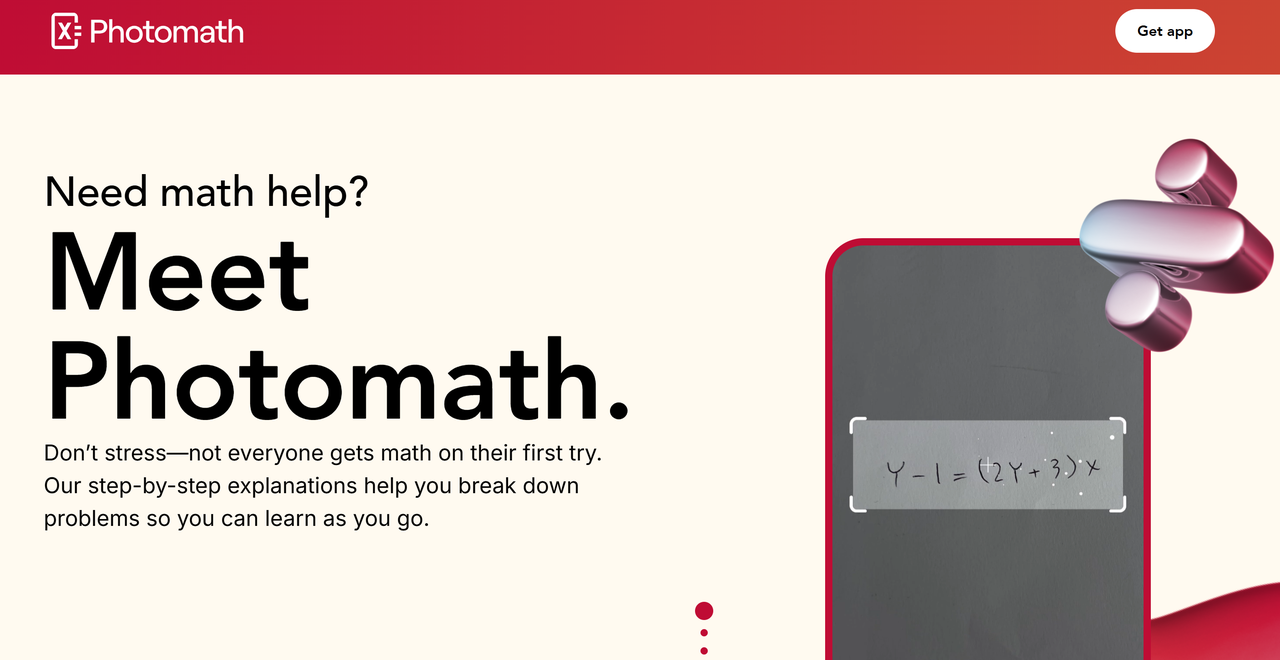
Photomath offers a suite of features that make it a powerful tool for solving and understanding math problems. Here’s an overview of its key functionalities:
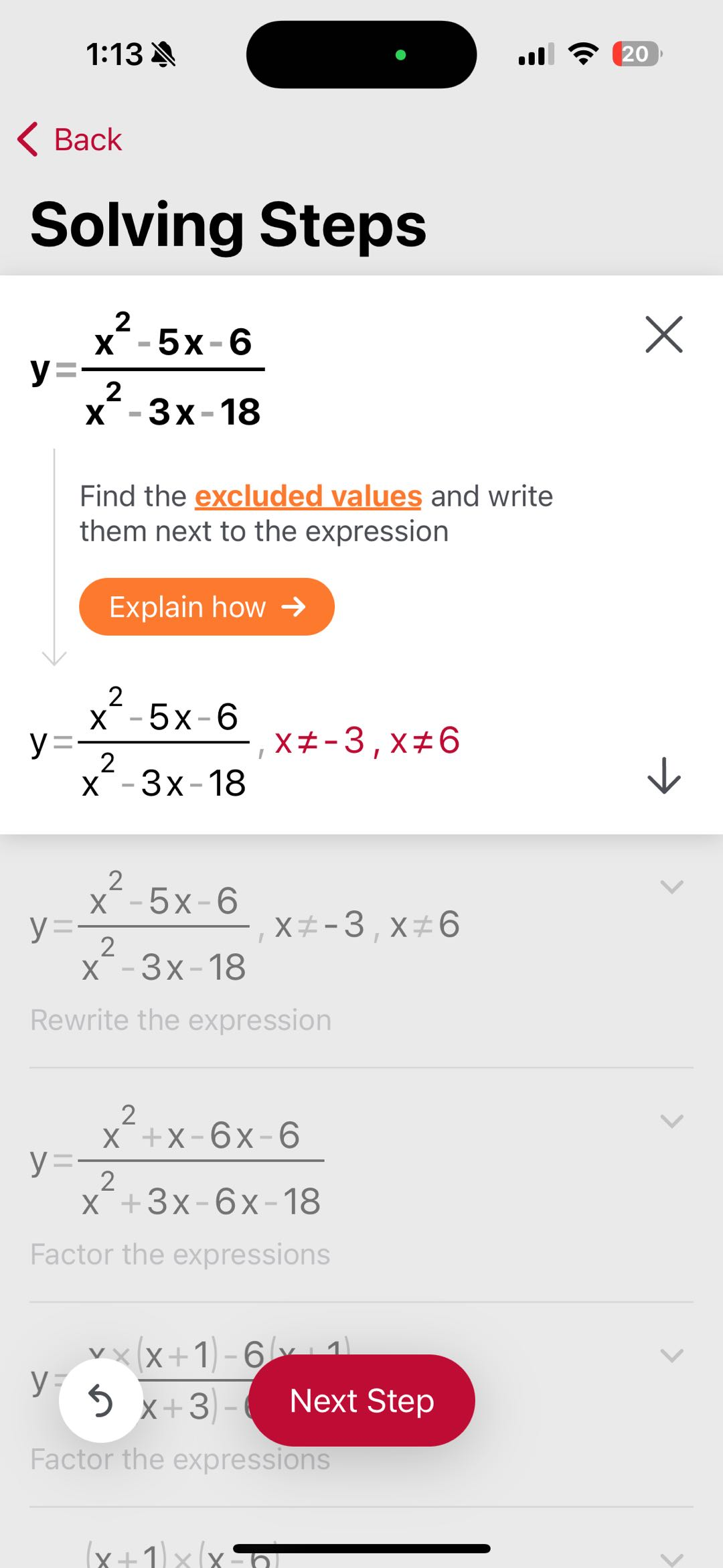
- Instant Problem Solving via Scanning: With Photomath, you can use your phone's camera to scan handwritten or printed math problems. The app quickly identifies the problem and provides step-by-step solutions, making it ideal for students tackling anything from basic arithmetic to advanced calculus.

- Detailed Explanations: In addition to delivering solutions, Photomath provides thorough breakdowns that clarify the reasoning behind the answers, addressing the “how” and “why” of each solution. These comprehensive explanations deconstruct your problem into manageable segments, enabling you to learn at your speed. Although nearly all learners can gain from this guided method, its extensive explanations are particularly advantageous for your visual, verbal, and logical preferences.
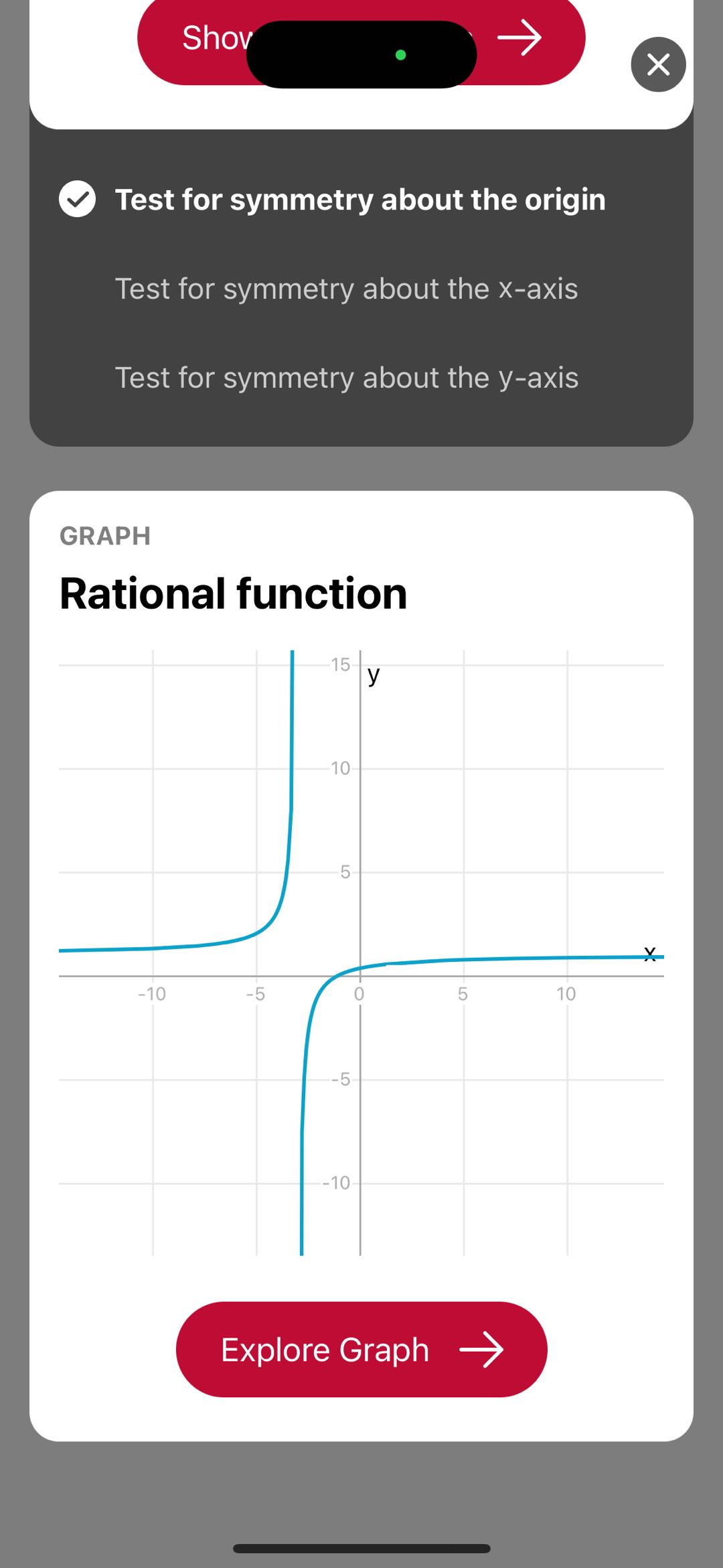
- Graph Presentation: Your scan reveals several solution cards. Scrolling to the graph in the Photomath app, you can zoom in and out, tap on various elements for more details, and view definitions in context. This is beneficial for visual and logical learners, and it can also provide an immersive digital experience for kinesthetic learners.
- Animated Tutorials and Visual Learning: The premium version, Photomath Plus, offers animated tutorials. These are perfect for visual learners, providing a dynamic way to grasp concepts and solve problems.
- Textbook Solutions: Photomath Plus also includes solutions to problems from popular math textbooks. This feature allows students to follow along with their coursework and get additional practice.
With AI-driven functionality and input from real math experts, Photomath provides an accessible, reliable, and effective way to enhance learning and complete homework.
Pros of Photomath
- Visual and Auditory Aids: Photomath incorporates visual and auditory aids to improve understanding and retention. It’s an essential tool for homework assistance, classroom reinforcement, and self-paced learning.
- Support for Basic Math Topics: The app covers a wide range of math concepts, from basic arithmetic to calculus, catering to students across different levels
- You Can Use It Offline: Unlike many apps, Photomath allows users to solve problems offline, making it reliable in areas with limited internet access.
Any Downsides
- Limited Coverage of Advanced Topics: While comprehensive for general mathematics, users report that it lacks sufficient tools for very advanced topics such as quadratic equations or certain abstract mathematical theories like Laplace transform.
- Dependency on Accuracy of Scans: The app's performance heavily depends on the clarity and legibility of the scanned problem. Sometimes it struggles with messy handwriting, and it doesn’t always go deep into advanced college-level math.
- Lack of Personalized Learning: While it provides step-by-step solutions, unlike some newer AI tools, it doesn't tailor its teaching approach to the individual user's learning pace or style.
What is Mathos AI
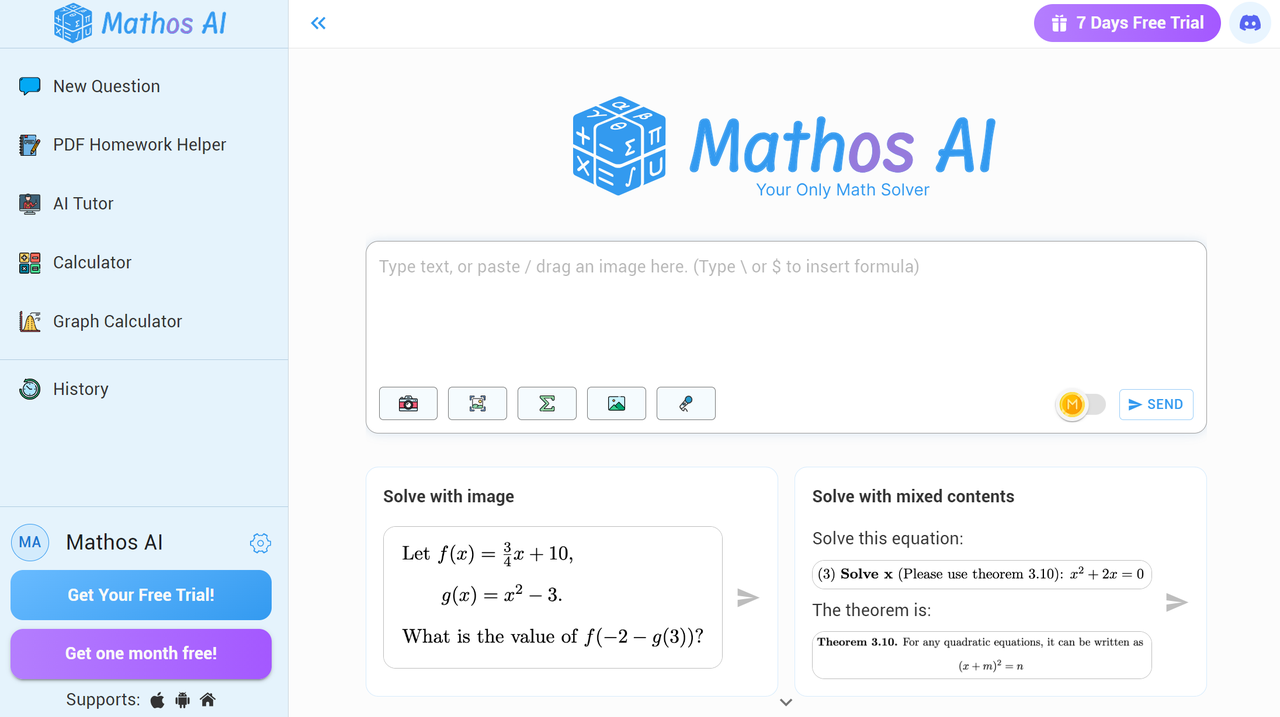
And now let’s take a step back and discuss Mathos AI (formerly MathGPT Pro). If you’re a student who can use a little more depth to your solution, this AI-powered math solver is becoming a hit, and here’s why. Mathos AI achieves 20% higher accuracy than GPT-4 in solving math problems, it is incredible, right? Now Mathos AI's math solver, calculator, and AI tutor are used and trusted by over 2 million students around the world. It is a must-try tool if you care about accuracy in your math homework help, self-learning, and exam preparation. It excels at addressing a wide range of math problems, from basic simplifying fractions and expressions to advanced topics like quadratic formulas and Laplace transforms. What's more, with its AI tutor feature, it adapts its explanations to suit your learning style, ensuring that you feel understood and empowered as you navigate through your studies.
What Makes Mathos AI So Lit?
- Math solver: Trusted by over 2 million students worldwide, Mathos AI doesn’t just give you the answer—it provides instant, accurate solutions along with clear, step-by-step explanations. With a track record of solving over 10 million questions, Mathos AI ensures precision with 20% higher accuracy than GPT-4, making it a reliable tool for both quick problem-solving and deeper learning.
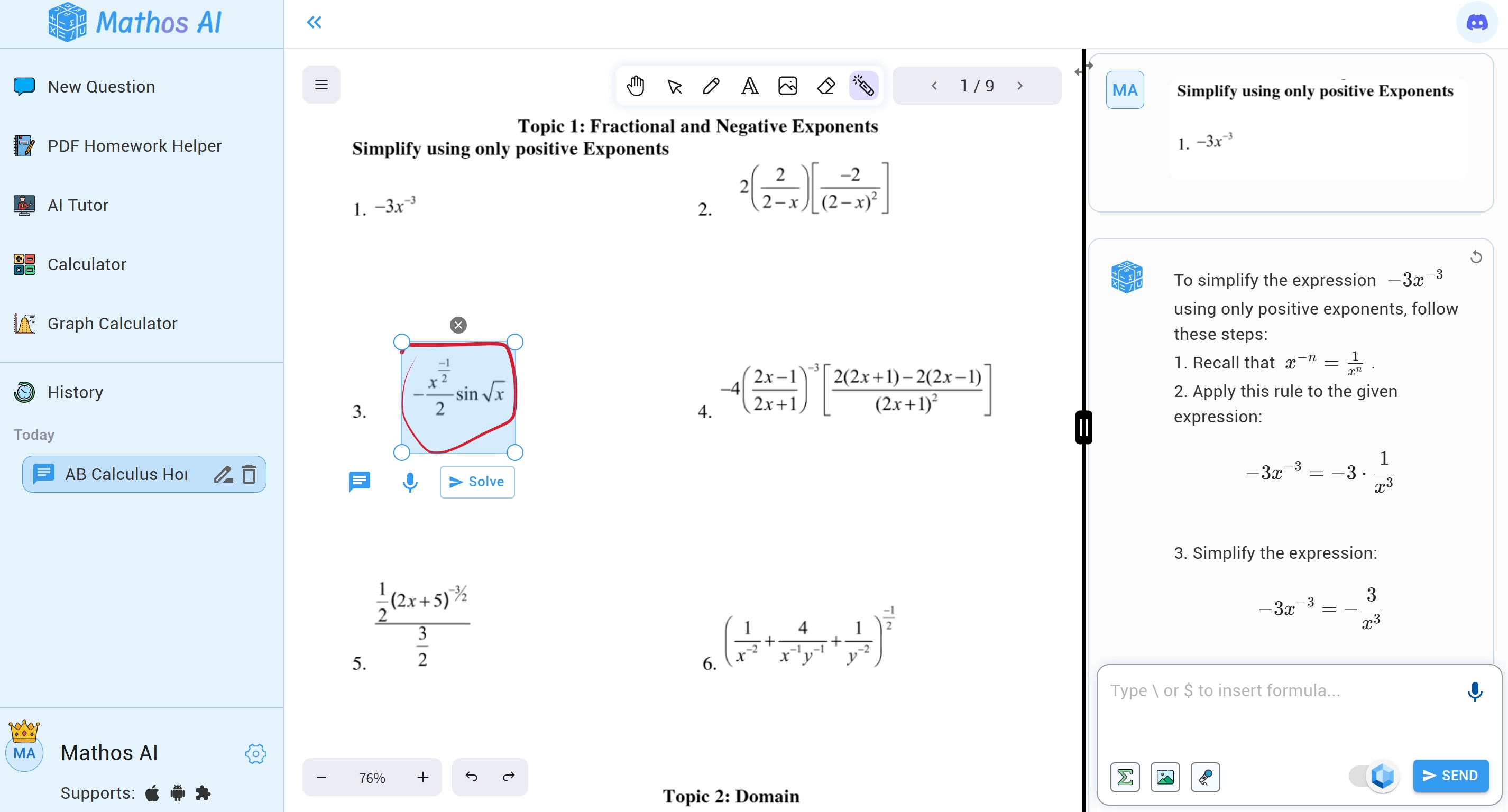
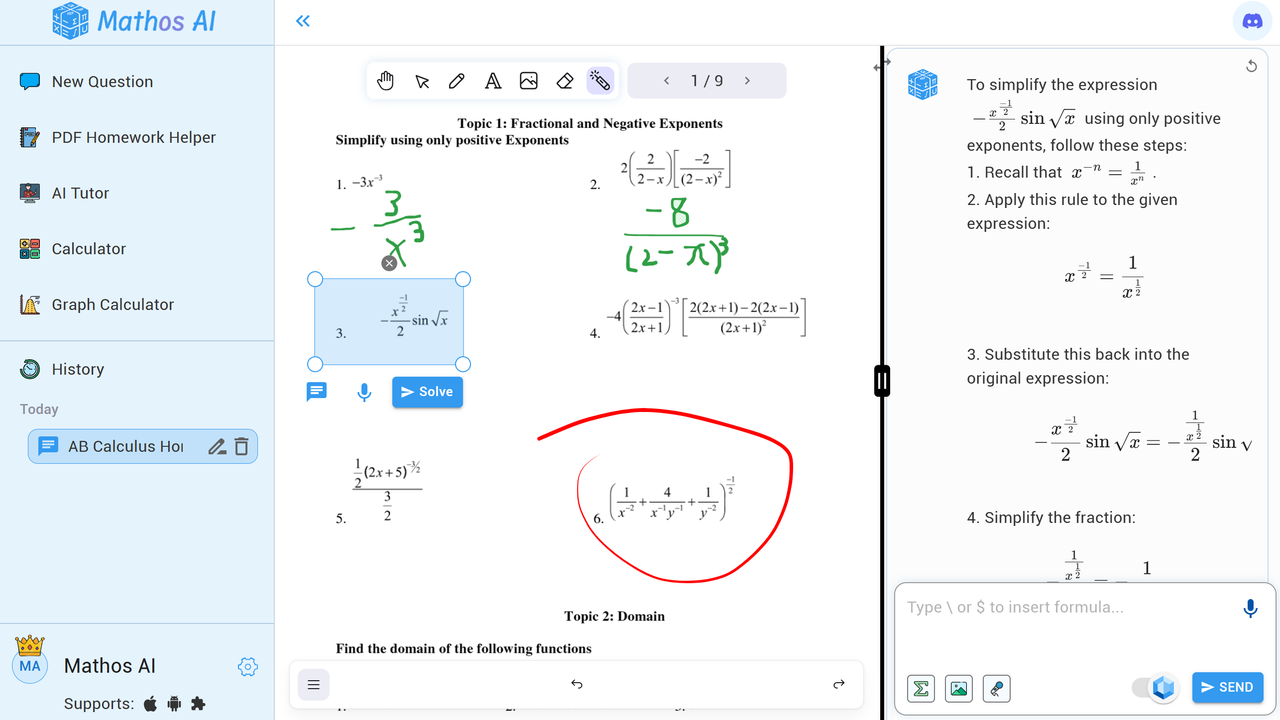
- PDF homework helper: It is a fantastic feature that makes piles of homework much simpler. Mathos AI lets you upload a PDF full of math problems, circle the questions directly on the document, and get step-by-step solutions instantly. You can also annotate and take notes right on the PDF. It’s perfect for when you’ve got a ton of material to review and need quick, clear answers without flipping through countless pages.
- By-Your-Side Personalized AI tutor: Imagine you’re halfway through a tricky math problem, stuck after writing a few steps. That’s when your AI tutor jumps in! Mathos AI recognizes exactly where you’ve hit a roadblock and engages with you, breaking down the next steps in real-time. It doesn’t just give you the solution—it tailors the explanation to your learning style, guiding you through the best way to solve the problem.
Check out this video to see exactly how it works:
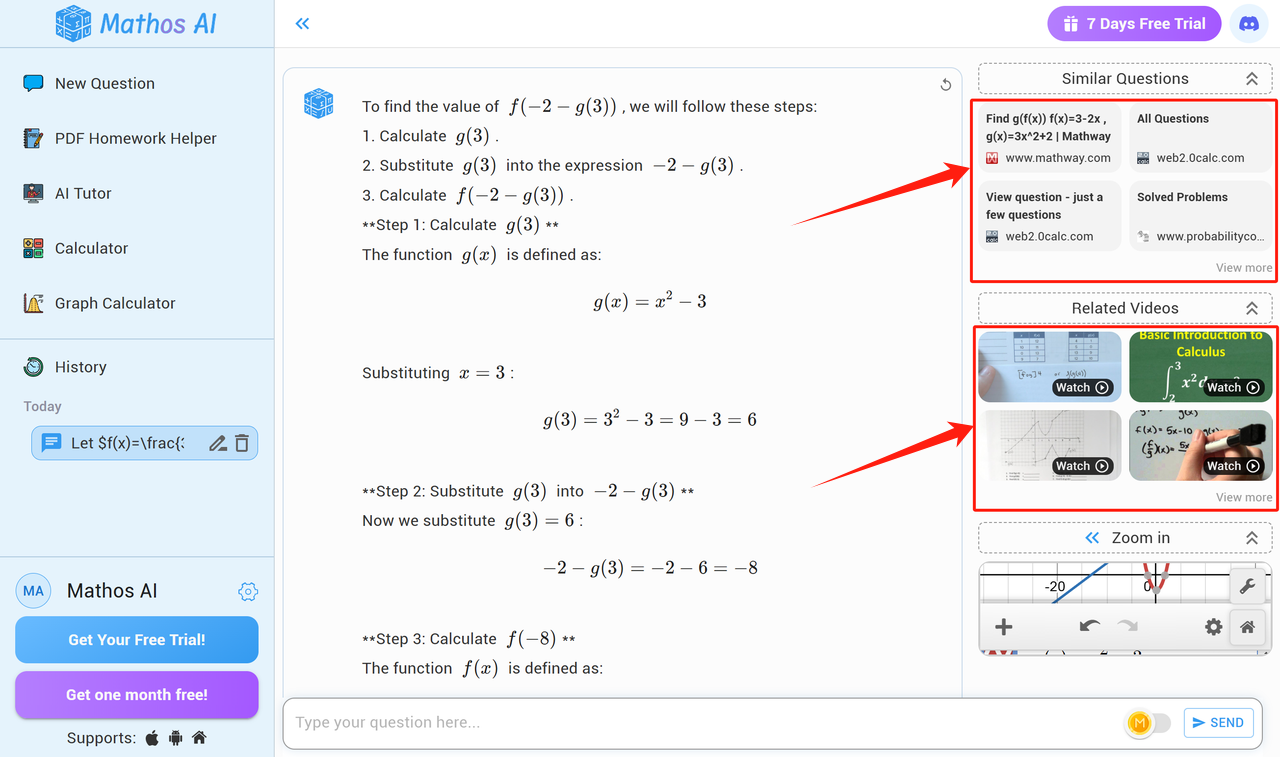
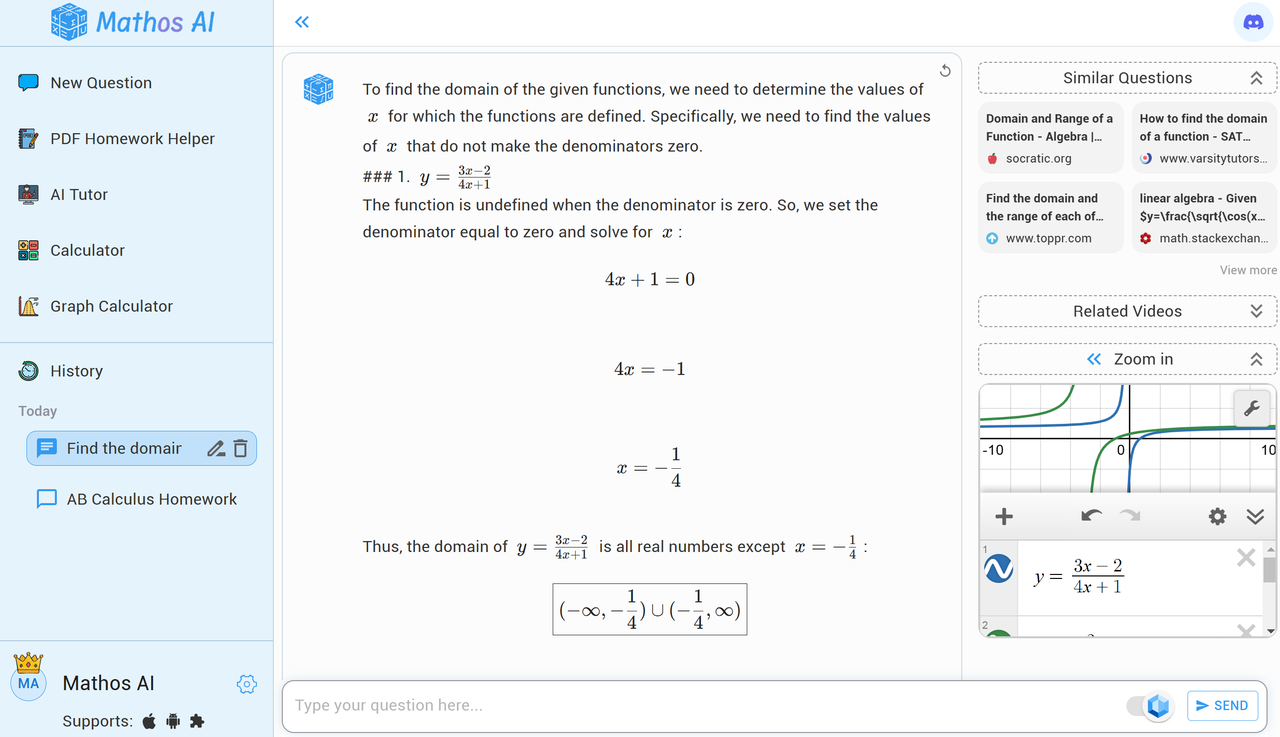
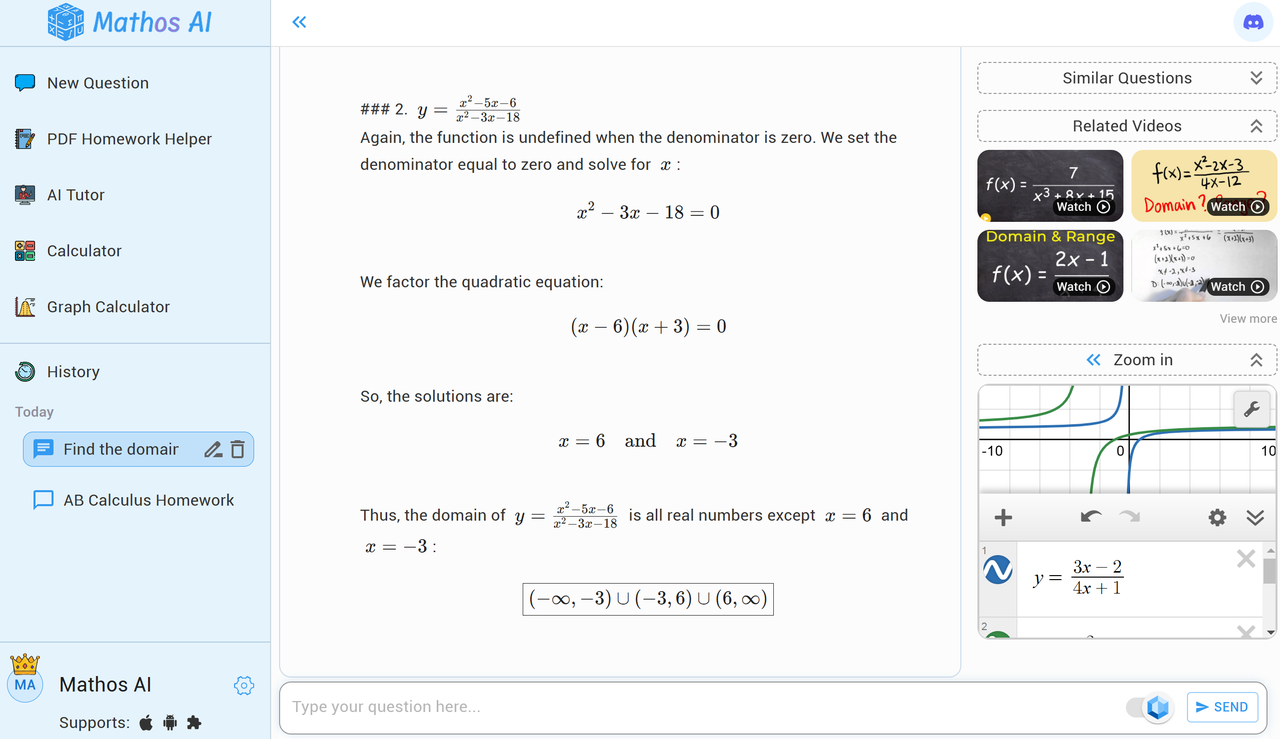
- Learning with Resourceful Aids: Clear and easy-to-follow steps are what we desire. When you enter a math question, it doesn’t just give you the answer, it walks you through each stage of the solution. Unlike other tools that only show you the final result, Mathos AI will know the topic you are working on and search for and provide you with the most valuable resources online, which are similar problems and linking to tutorial videos of the problem you are solving from YouTube math channels.
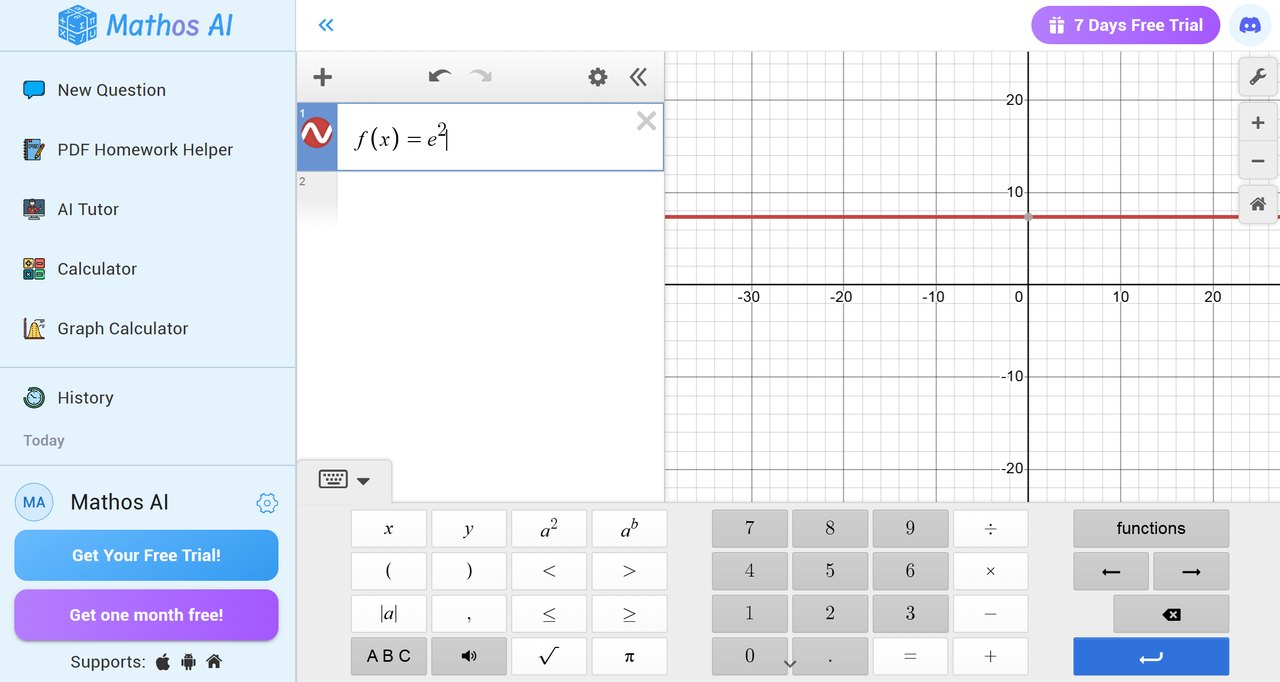
- Draw Graphs just as You Envision Them: The advanced online Graphing Calculator, powered by Mathos AI and backed by Desmos technology, allows you to quickly plot functions and solve other complex math problems. It enhances understanding of algebra, trigonometry, and calculus, making it a valuable resource for any math challenge.
- Free and paid options: With Mathos AI, you have the flexibility to choose between our free version—which includes dozens of dedicated calculators for every math topic, handling most of your math problems, and our premium version for just $8.99 a month, unlocking even more powerful features like personalized AI tutors. The free version provides access to dozens of dedicated math calculators, covering everything from basic scientific notations to advanced functions.
Where Mathos AI Scores Big
- Precise and Instant Answers: We all love getting quick and reliable answers, and that's exactly what Mathos AI is here for! With Mathos AI, you can solve math problems in just seconds—perfect for checking your work or getting a handle on a new topic. Plus, its advanced AI model is 20% more accurate than ChatGPT and other tools, so you can always count on getting trustworthy answers.
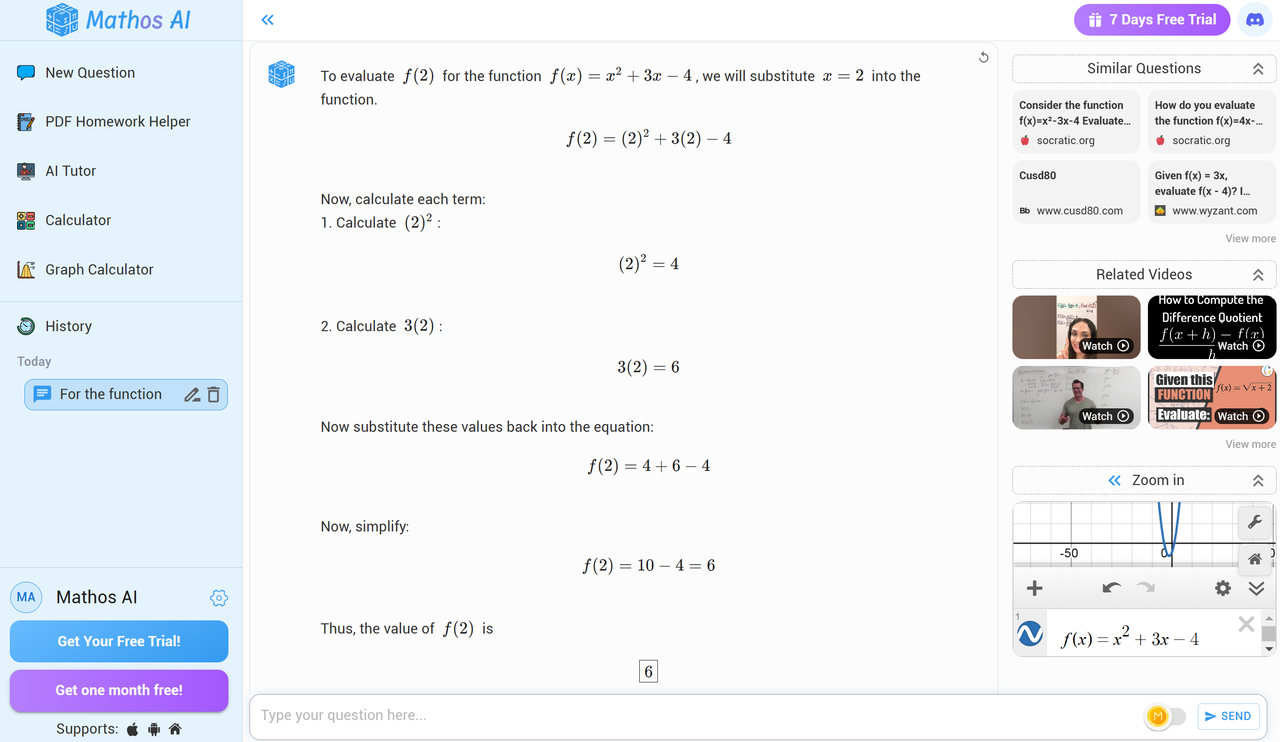
- Multiple Ways to Enter Questions: A very practical feature when you are studying different interaction needs. Mathos AI enables you to input your math problems through various methods—text, voice, image, or drawing. All input methods are designed to be very smooth and easy to edit and adjust to real Q&A scenarios.
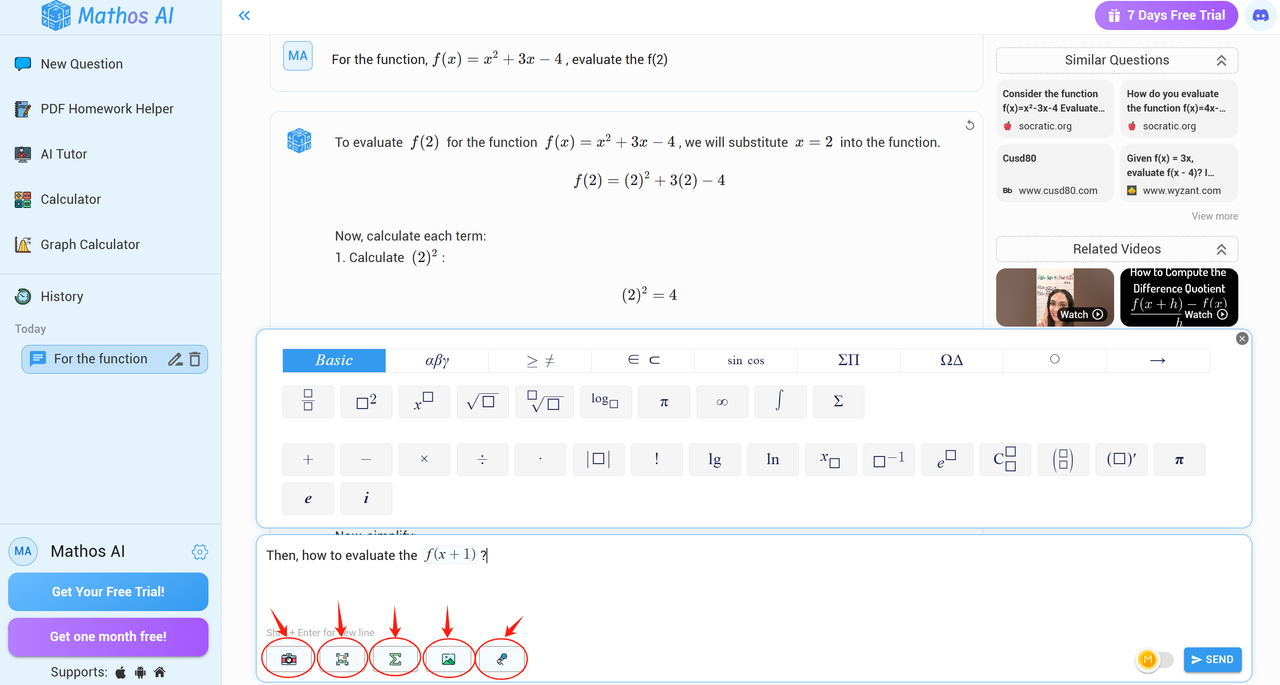
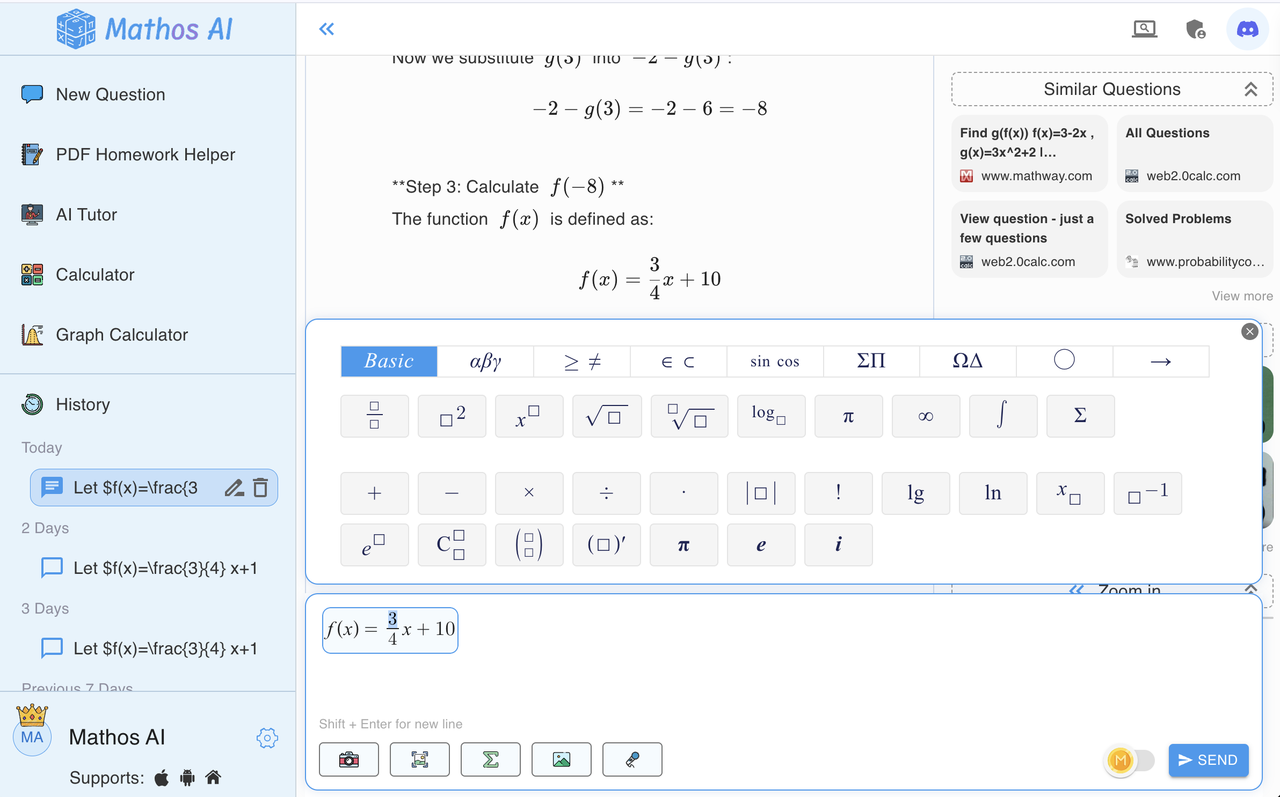
- Easy Math Formula Editing: Mathos AI helps you type and edit math formulas easily. It lets you pick standard math symbols and letters for your questions, and you can even copy parts of the answers Mathos AI gives you to ask more questions. This means you don’t have to type everything out again and again.
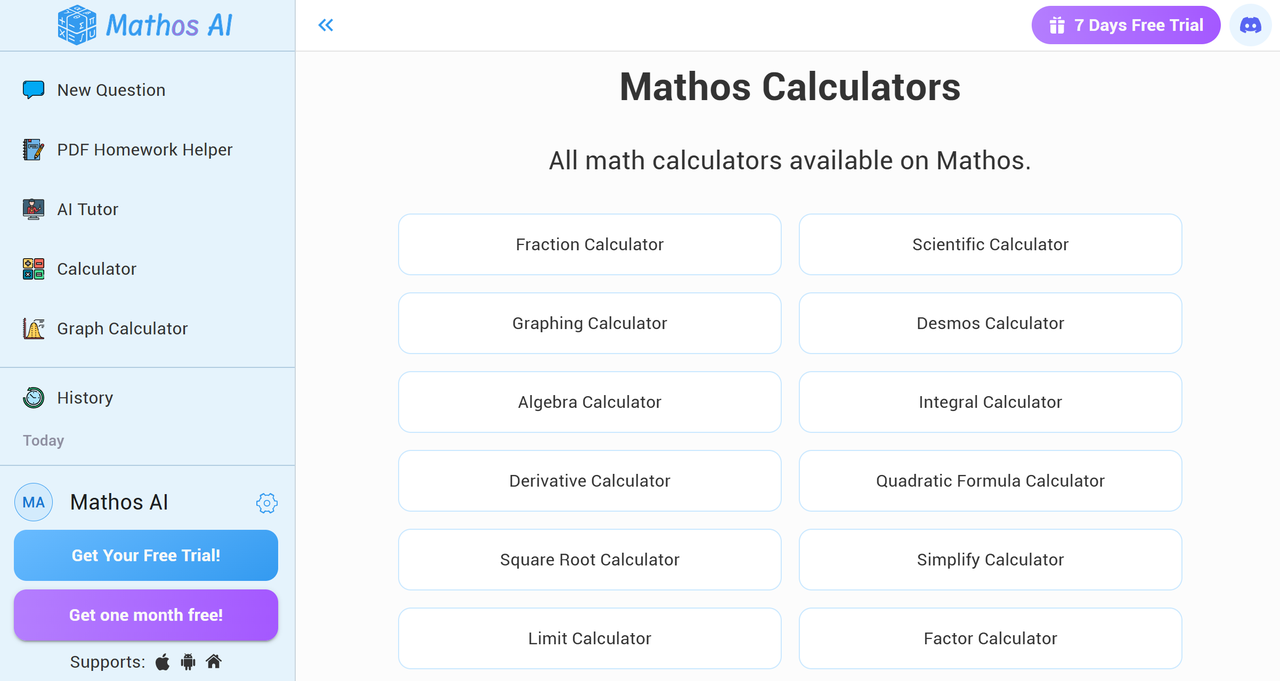
- Multiple Free Math Calculators for You to Count on: Mathos AI brings you a speedy and user-friendly collection of calculators that tackle a variety of math challenges. Whether you need help with scientific notation, parametric equations, algebraic expressions, or adding fractions, Mathos Calculators makes solving problems easier than ever.
- Seamlessly Switch Between Devices without Losing Your Progress: When you’re solving a math problem on your phone while on the go, and later when you’re back at your desk, you pick up right where you left off on your laptop. With Mathos AI, that’s exactly what you can do! No matter where you are, you’ll always have your math problems and solutions ready for follow-up and further learning. It’s like having your portable math tutor!
- No Ads for All Version: Nobody likes getting bombarded with ads, especially when you're trying to figure out that tricky trigonometry problem. That's why Mathos AI kept the experience ad-free, so you can focus on actually learning without all the distractions. Because, honestly, you've got bigger things to solve than figuring out how to skip another ad.
Needs to Improve
- Need Internet: Wi-Fi or cellular connectivity is required to utilize Mathos AI smoothly.
How to Use Mathos AI to Solve Your Math Homework?
Mathos AI offers two straightforward ways to tackle your problems. Whether your homework is in a PDF format or a specific math question needs solving, Mathos AI has you covered.
Using the Mathos AI PDF Homework Helper
If your homework is in PDF format, the Mathos AI PDF Homework Helper is an excellent tool. It acts as a digital notebook, allowing you to solve math problems directly on your PDFs. Here's how to use it:
- Step 1: Upload your PDF document into the Mathos AI platform.
- Step 2: Click on the specific math problem you need help with.
- Step 3: Mathos AI will provide a step-by-step solution to guide you through the problem.
This seamless interaction helps you study smarter and makes working through textbooks more engaging and productive.
Let's upload calculus homework to Mathos AI PDF Homework to get answers:
Using the Mathos AI New Question Section
For problems not in a PDF, you can use the New Question Section:
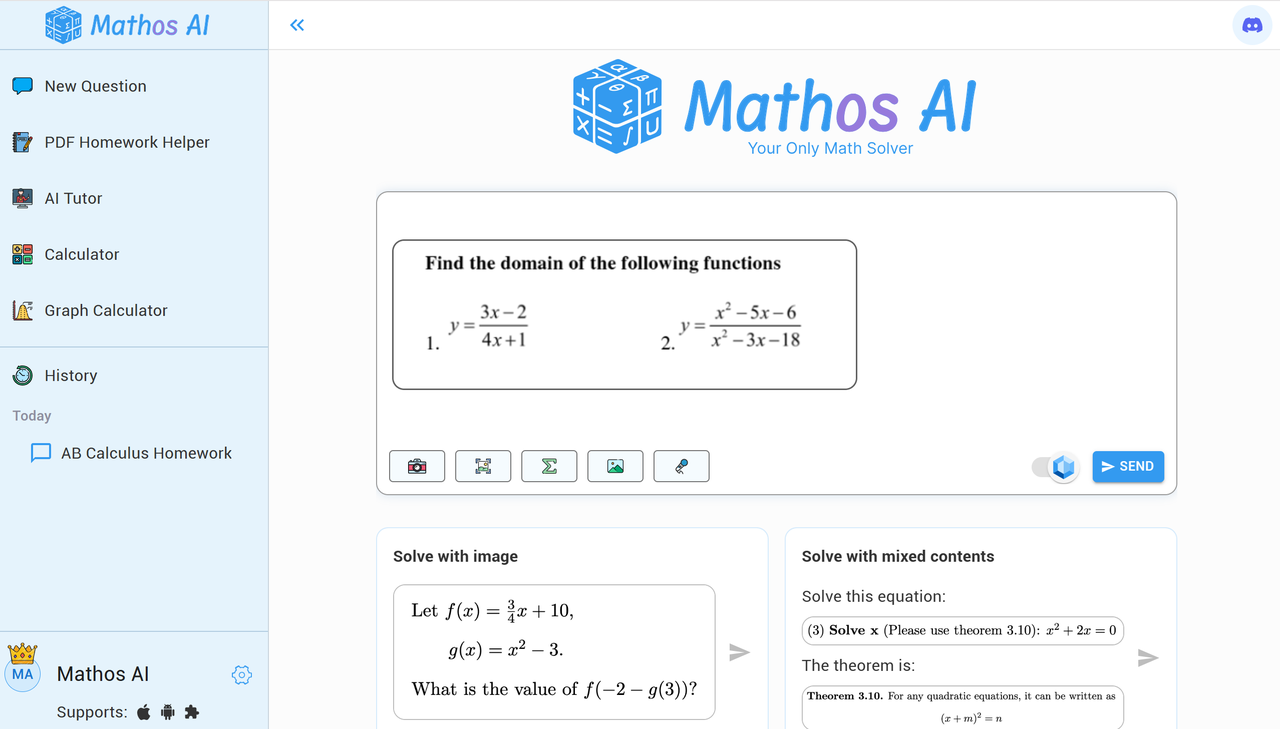
- Step 1: Type your math problem into the input field or upload a photo of the problem.
- Step 2: Click the 'Solve' button.
- Step 3: Mathos AI will display the solution along with a detailed explanation.
Let's paste a screenshot of a solve for x question to Mathos AI's New Question section:
Mathos AI transforms how you approach homework. Whether you’re using its PDF homework Helper or solving questions at random, it’s like having a math expert at your fingertips, always by your side to help you through each step.
See How Mathos AI Can Take Your Math Skills to the Next Level
The decision comes down to whether you want fast answers or instant, accurate, and deep understanding. While Photomath is a fantastic starter app, Mathos AI offers a more holistic approach to learning, making it ideal for students. Ready to make math easier? Ask Mathos AI questions today and practice more math topics.