
Desmos vs. Mathos AI: Which Math Solver is Good for College Homework
Saturday, November 16, 2024
Let me introduce you to two awesome tools: Desmos and Mathos AI. Each offers something special that can make your math journey a lot easier. If you love sleek visuals and need to graph functions, Desmos is a fantastic choice. It is trendy among students for a variety of uses, ranging from geometry to creating stunning visual representations of mathematical concepts. On the flip side, Mathos AI takes things up a notch. It’s not just about basic calculations; it acts as a personal AI math tutor that tailors its help to fit your learning style, making it an interactive experience! So, if you're ready to stop the endless search for the perfect calculator app or if you're curious about which math solver might suit you best, stick around! You will learn about the key features, pros, and cons of both Desmos and Mathos AI, and find the best: a graphing calculator, an equation solver, or a handy all-in-one solution. Let’s make math a little more fun together!
What is Desmos?
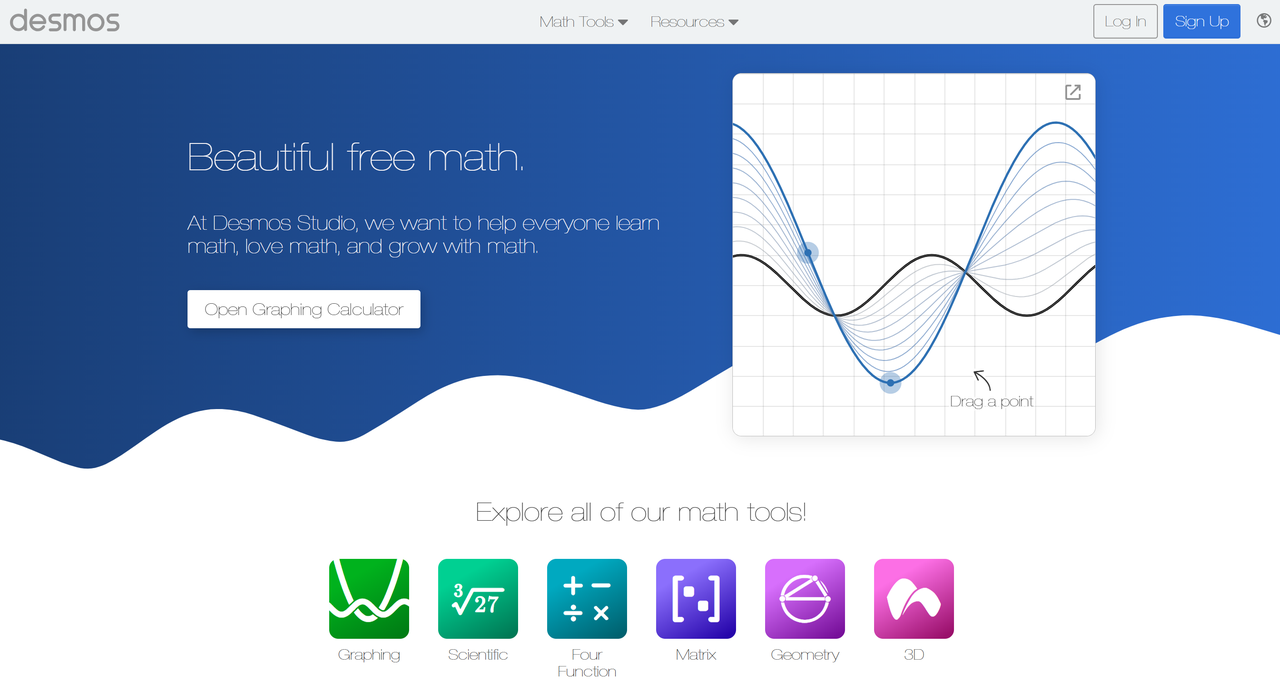
Desmos is a powerful tool for creating and exploring graphs. You can create graphs with different lines and shapes, all in various colors, and change values to see how they affect the graph. This makes it easy to compare different functions or see how changes affect the graph right away.
When Desmos Can Help?
When you’re working on math problems that involve graphing, Desmos can be your best friend. It’s perfect for times when you need to see how different equations look on a graph, like when you’re learning about geometry, parametric, or trigonometry and want to understand what they look like. If you're trying to graph complex shapes like a parabola or a curve that changes with different variables.
Desmos makes it easy to see these changes right away. You can even add sliders to change values smoothly, so you can watch the graph transform in real time. This helps you see how small adjustments affect the whole graph, making "hard-to-visualize" math ideas come to life right on your screen.
If you have to create a chart, plot points from data, or show trends, you can just type your numbers into a table, and Desmos will plot each point automatically. Desmos is easy to use whenever you need a quick, clean graph for homework. You don’t need to worry about messy hand-drawn lines or inaccurate points.
What can Desmos Do?
Some of the most useful features of Desmos include:
- Multiple Graphs and Colors: Desmos lets you layer multiple graphs on a single grid, each in a different color, which makes it simple to see where lines cross or how different shapes interact. This feature helps you keep everything organized and easy to understand when you need to show multiple functions.
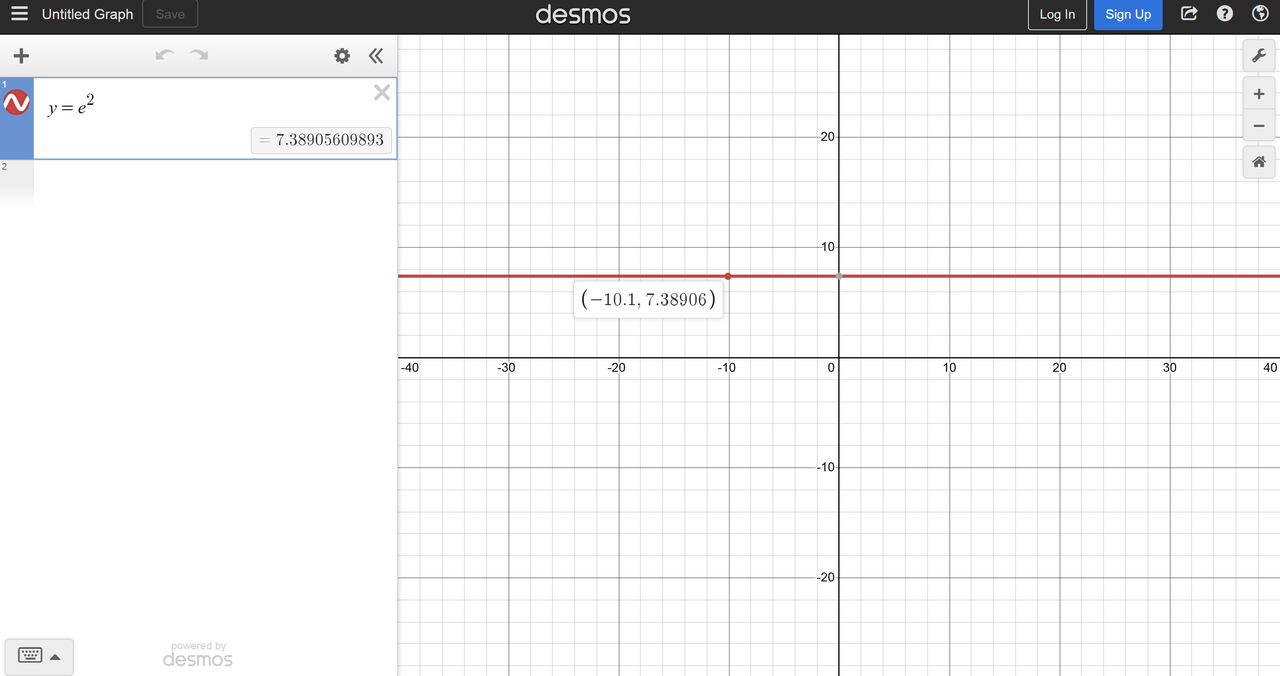
- Real-Time Changes with Sliders: Sliders let you change numbers on your graph instantly. When you’re working with shapes like parabolas or curves, sliders show how different numbers change your graph, helping you wisely learn about transformations in a hands-on way.
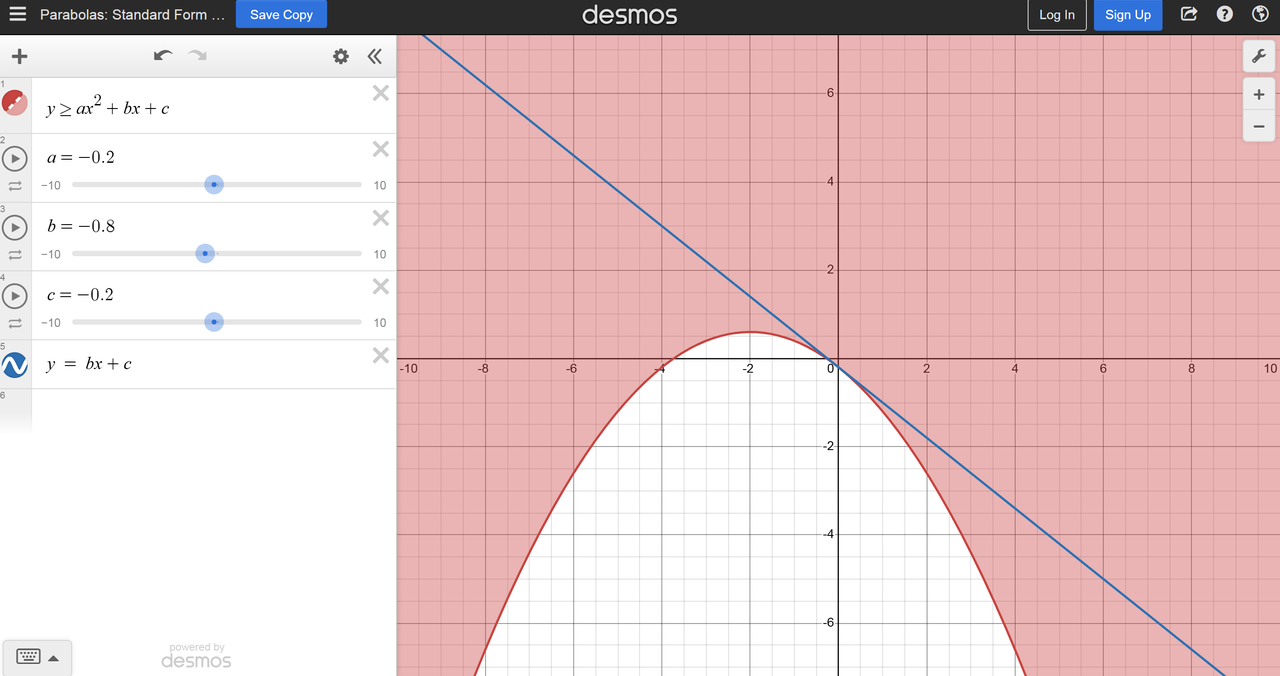
- Easy-to-Change Options: You can make graphs look exactly how you want by adjusting colors, and line thickness, and adding labels. This is super helpful when you have to work with many variables or need to make a clear graph for a presentation or project.
- Data Tables for Graphing: In addition to graphing equations, Desmos lets you enter data into tables and plot those points automatically. This is perfect for making scatter plots or analyzing trends in your data for projects.
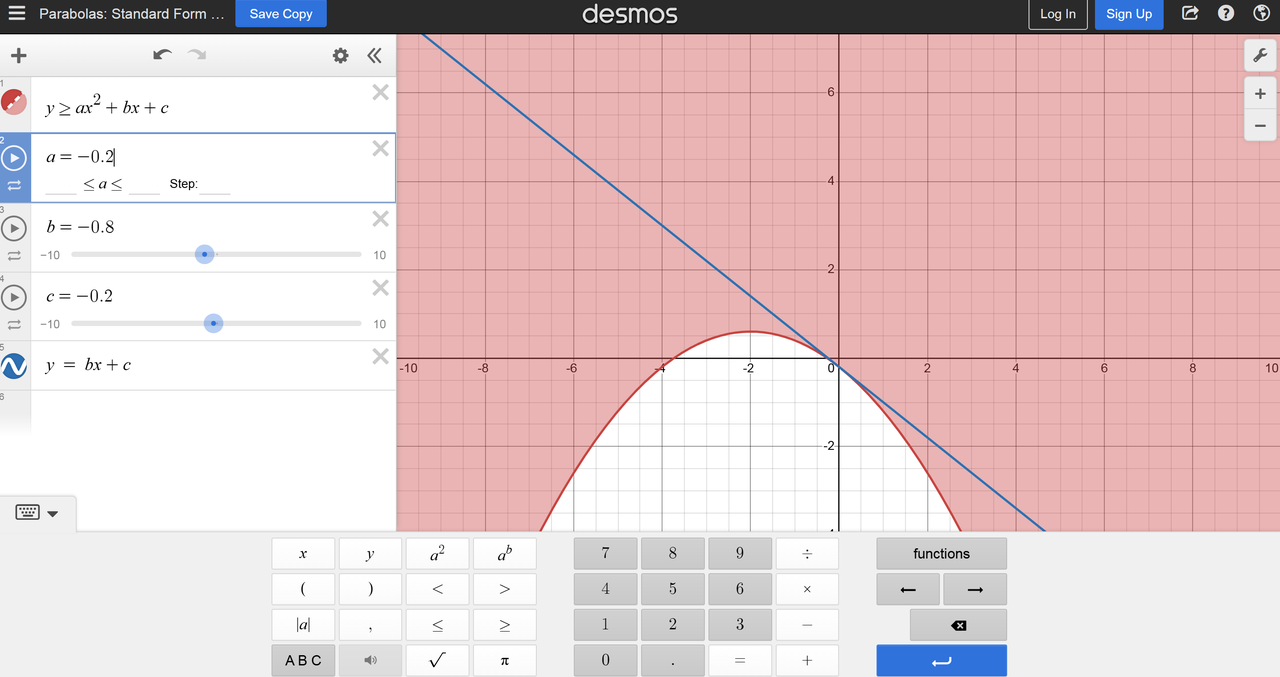
- Work for All Students: Desmos accesses everyone, with options like color contrast, keyboard shortcuts, and even audio tracing. This makes Desmos a great choice for students needing extra support interacting with the graphs.
In short, Desmos is a flexible tool that makes visualizing math easy. Whether you're learning in the classroom or doing a project on your own, it helps turn math concepts into clear, understandable graphs.
Pros and Cons of Desmos
Pros:
- Great for Graphing: Desmos lets you make graphs quickly and accurately. You can see different types of equations on your screen in real-time, from simple lines to more complicated shapes. This makes it helpful in class or when you’re studying on your own, as you can explore math ideas just by adjusting parts of the graph and watching what happens.
- Easy to Use: The Desmos screen is clear and simple to look at, with a layout that’s easy to understand. You can change things like the color of lines or make them thicker, which helps if you’re a visual learner and need to see things clearly to understand better.
- Save and Share Your Work: Once you've created a graph, you can download it as an image file. This feature is useful when you need to include a graph in a school project or just want to save your work to look at later. You can also copy and paste the graph or share it with others using a special link. This makes it easy to show your teacher or classmates what you've been working on.
- Works on Different Devices: You can use Desmos on a laptop, tablet, or phone. This means you can graph things wherever you are, at home, on the bus, or in class—and you don’t have to worry about switching devices.
Cons:
- Tricky for Newbies: Even though it’s easy to use, Desmos has a lot of options, which can feel confusing if you’re new to it. It might take some practice to find everything you need, but there are tutorials to help you learn how to get around.
- Hard to Adjust Scale: When you’re making a graph, it can be hard to set the graph to just the right size or zoom level. This can make it tricky if you need to focus on a very specific part of a graph, and sometimes you might not get the exact view you’re looking for.
What is Mathos AI?
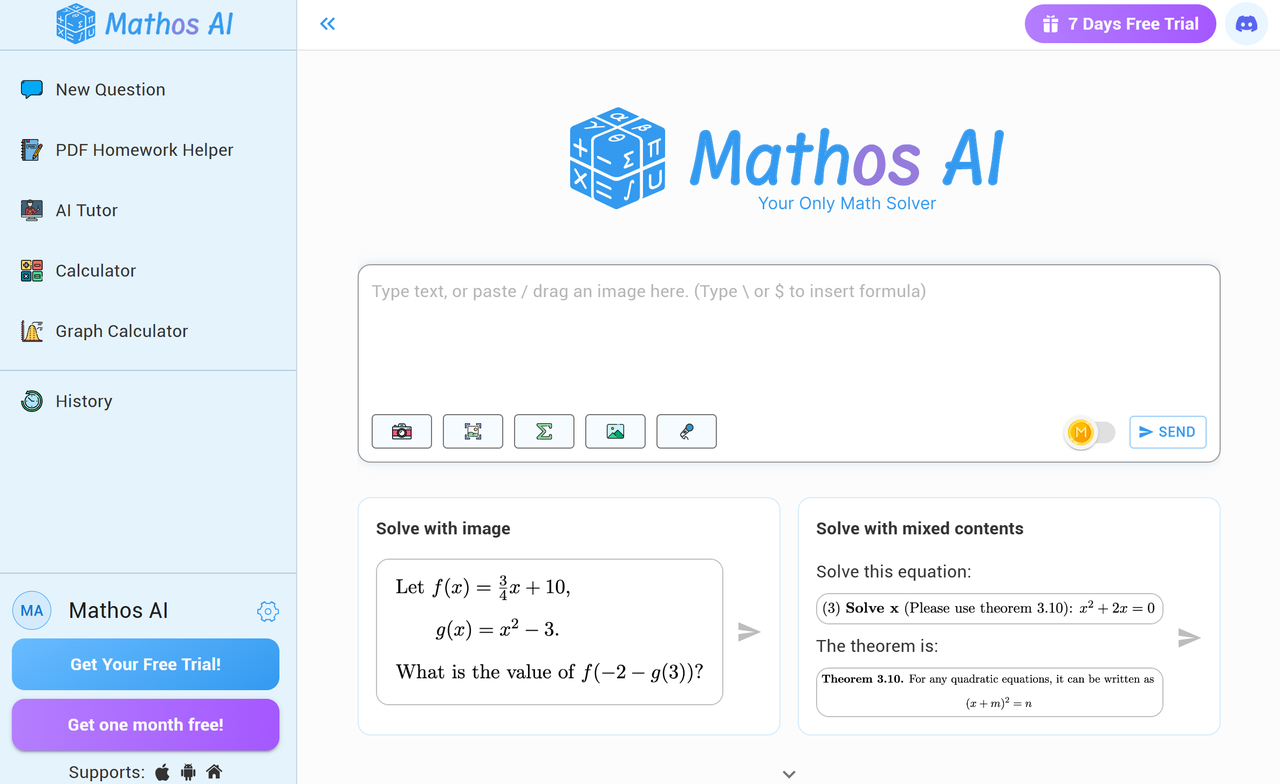
Mathos AI is one of the most accurate and easy-to-use AI math solvers. It's like having a math tutor in your pocket who doesn’t just give you answers but it breaks down complex problems or math topics into smaller pieces of information, providing guidance that helps you understand how to solve problems step by step. The most appealing aspect of Mathos AI is that it achieves 20% higher accuracy than ChatGPT, which you might want to know if you're stuck on some tricky issues. Also, Mathos AI is known for its comprehensiveness in solving complex math problems across topics, from basic arithmetic to advanced calculus and even Laplace transforms and scientific notation calculations. Plus, it adjusts its explanations to match your learning style if you study with its AI tutor feature. Now Mathos AI's math solver, calculator, and AI tutor are used and trusted by over 2 million students around the world. It is a must-try tool if you care about accuracy in your math homework help, self-learning, and exam preparation.
When Should You Use Mathos AI?
As long as you have a math question, just type it into Mathos AI, and it will give you answers and step-by-step explanations. And you can step in and ask any follow-up questions if you are stuck on a certain step. You can step in and ask any follow-up questions if you are stuck on certain steps.—it also shows you similar questions and links to math videos from YouTube, where teachers explain similar topics in detail. If you’re working on graphs, Mathos AI has a special graphing tool to make visualizing equations super easy.
How Mathos AI Helps You
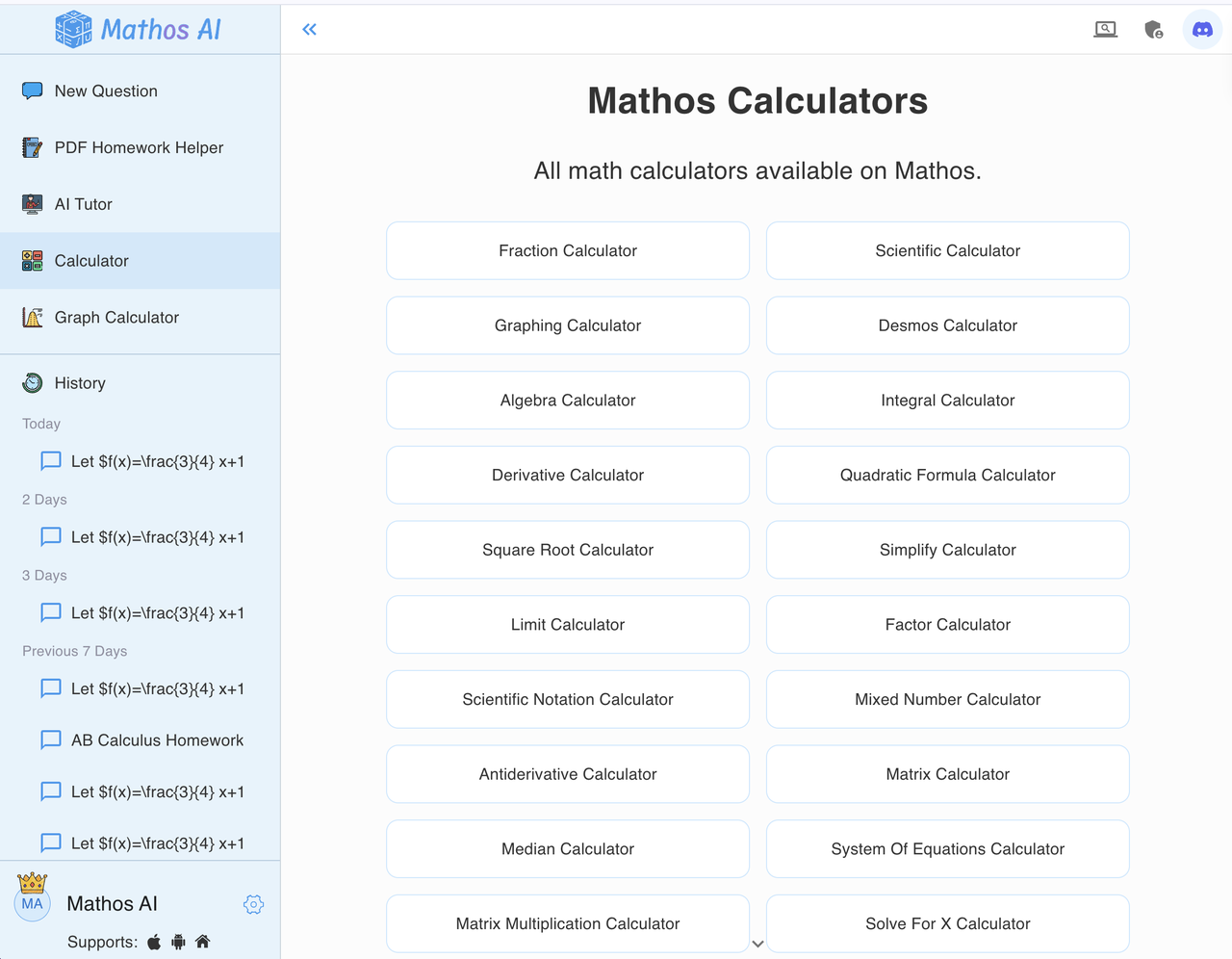
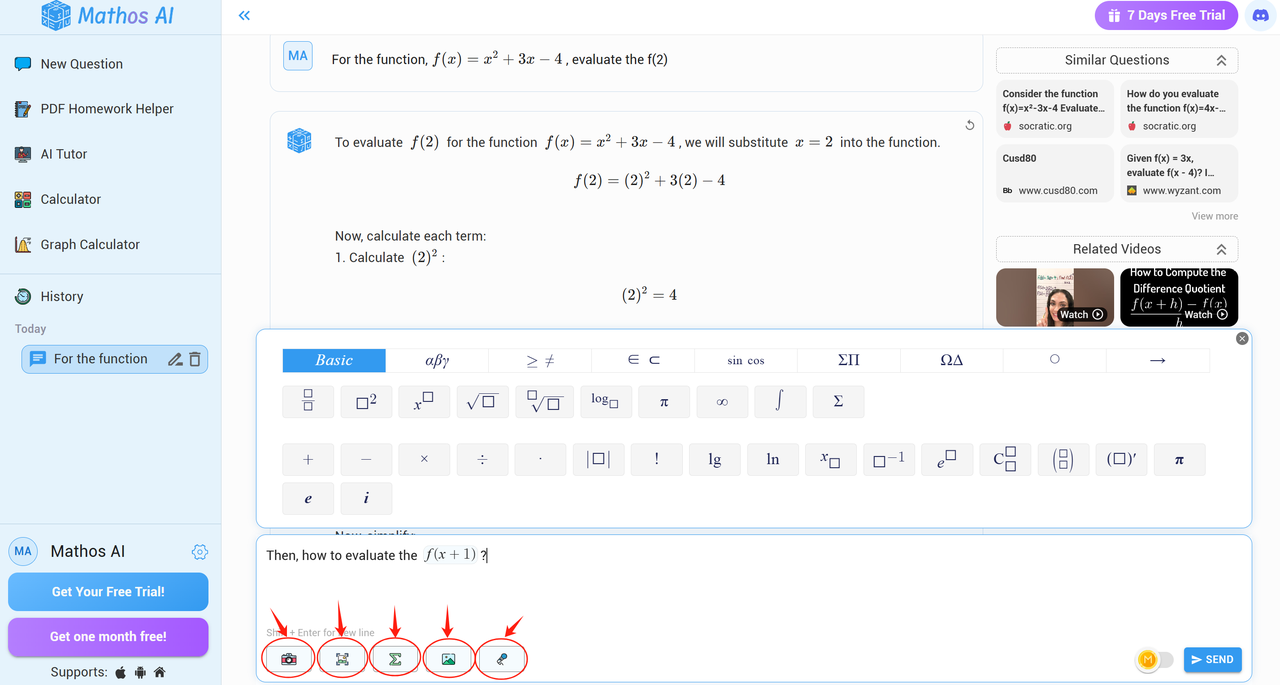
- Easy Math Formula Editing: Mathos AI helps you type and edit math formulas easily. It lets you pick standard math symbols and letters for your questions, and you can even copy parts of the answers Mathos AI gives you to ask more questions. This means you don’t have to type everything out again and again.
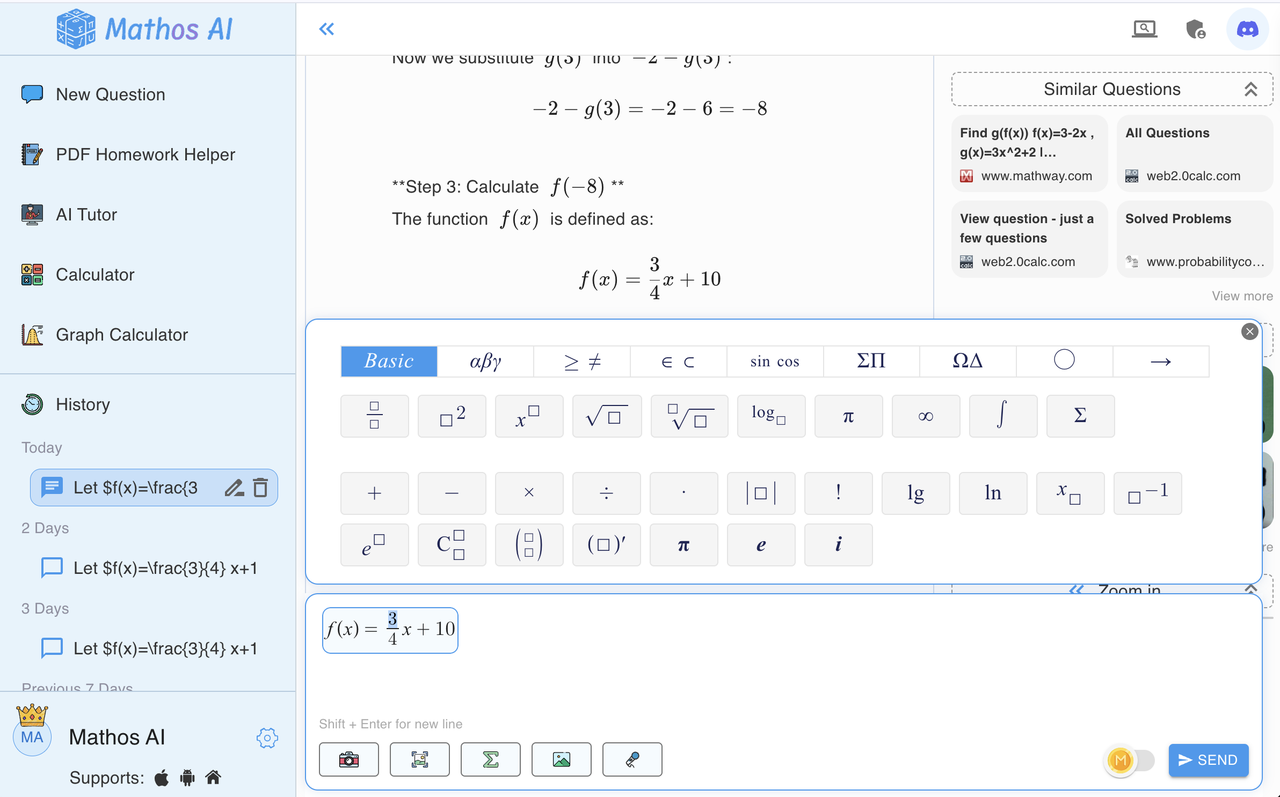
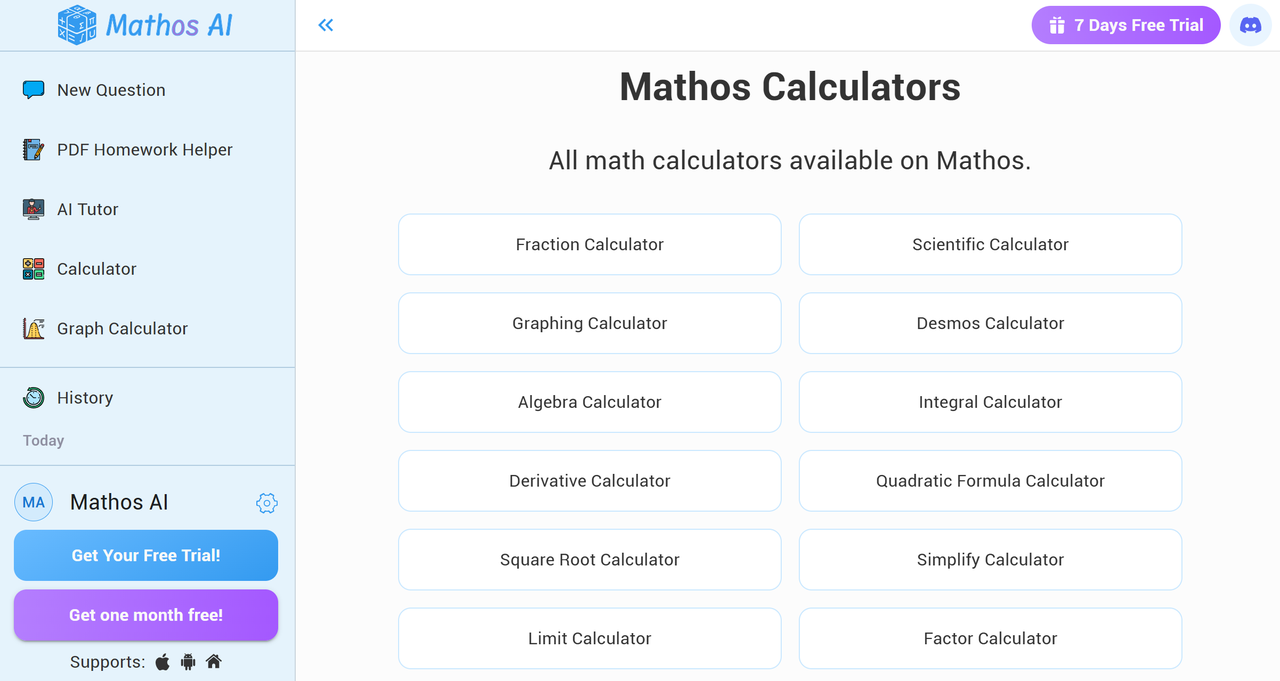
- Collection of Calculators for Every Topic: Mathos AI has different calculators for different math topics, from solving Fraction questions, Limits, Matrix operations, and Determinants, to handling polynomial equations, or even Linear equations. it covers all math topics throughout your school journey, from elementary school to college and beyond. You can go to their dedicated calculator for certain topics if you know what you are looking for, or you can simply upload an image of the problem. It will detect, understand, and provide the correct guidance and solution for you.
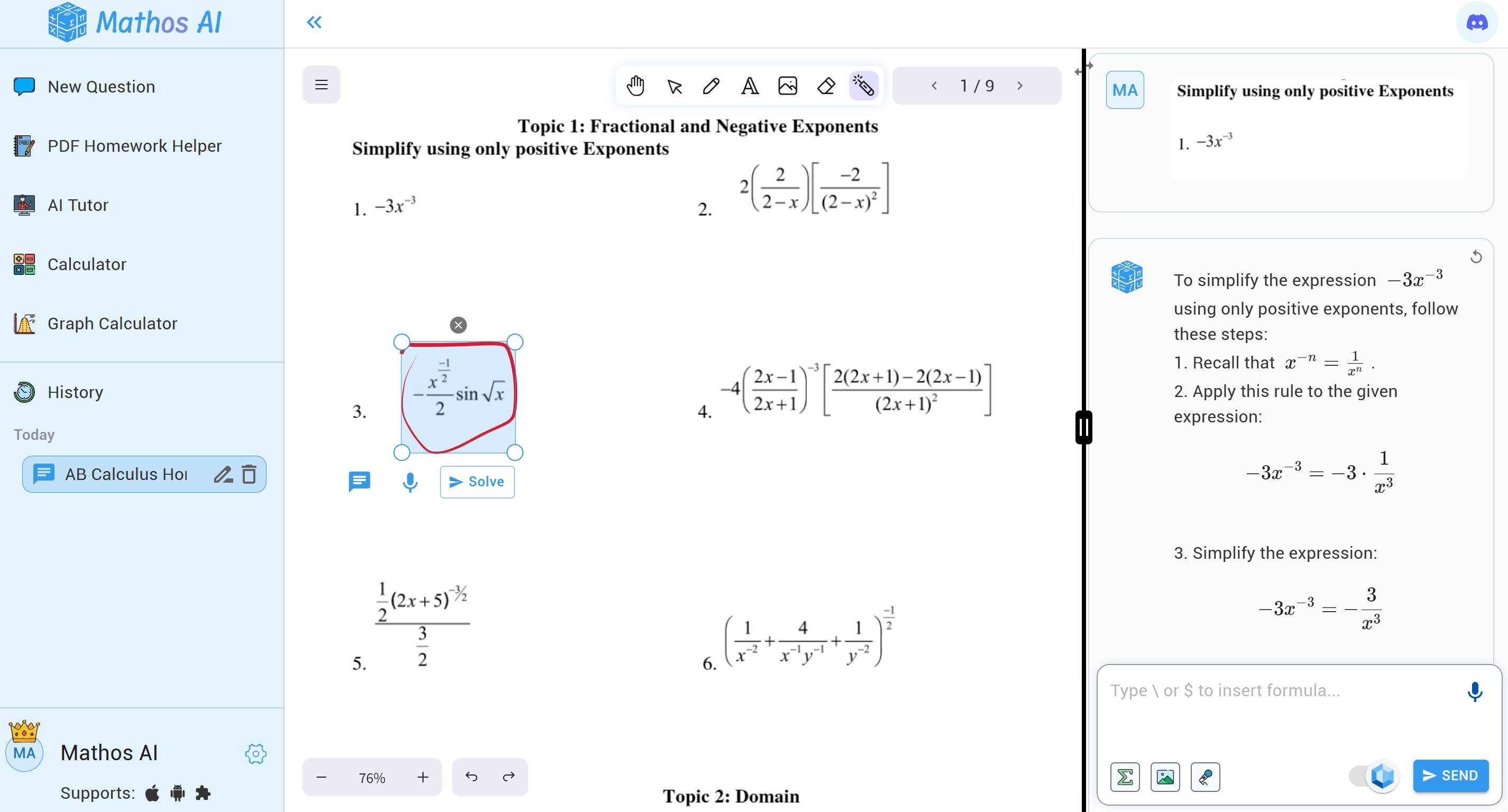
- PDF Homework Helper: Highly recommended feature! Image you got hundreds of pages of materials and homework problems from class, you got to finish it in 2 days? With Mathos AI’s PDF Homework Helper, you won't have stress. In this advanced feature, you can upload homework (in pdf) by simply circling you will get an instant solution with detailed explanations. Try yourself. Trust me, it’s a lifesaver when you’re struggling with hundreds of pages of material and problems in a PDF.
- Multiple Ways to Enter Questions: A very practical feature when you are studying different interaction needs. Mathos AI enables you to input your math problems through various methods—text, voice, image, or drawing. All input methods are designed to be very smooth and easy to edit and adjust to real Q&A scenarios. )
- AI tutor by Your Side: It is just like a personal teacher who knows everything about the topic you are studying. Whether you’re solving complex problems in square root, trigonometry, or any other math subject, the AI-powered tutor can recognize your study materials, handwriting, and inputs, literally talk with you, and provide tailored, real-time guidance that adapts to your learning style and pace. You will love the feeling of being consistently supported by a tutor whenever you need it, 24/7.
See how it works exactly in this video:
- Works on All Your Devices: You can start a problem on your phone, continue it on your tablet, and finish on your laptop. Also, all of your inputs are synced on all devices. You can take a photo of the problem on your phone and see the photo attached to your desktop solver immediately, allowing you to view the solution in detail on a larger screen for a better experience.
Pros and Cons of Mathos AI
Pros:
- Fast Answers: Everyone wants an instant and accurate answer, and that’s where Mathos AI comes in. Mathos AI solves math problems in seconds, letting you check your work or quickly understand a new topic. It has an advanced AI model that is 20% more accurate than ChatGPT and any other tool out there, giving you answers you can trust.
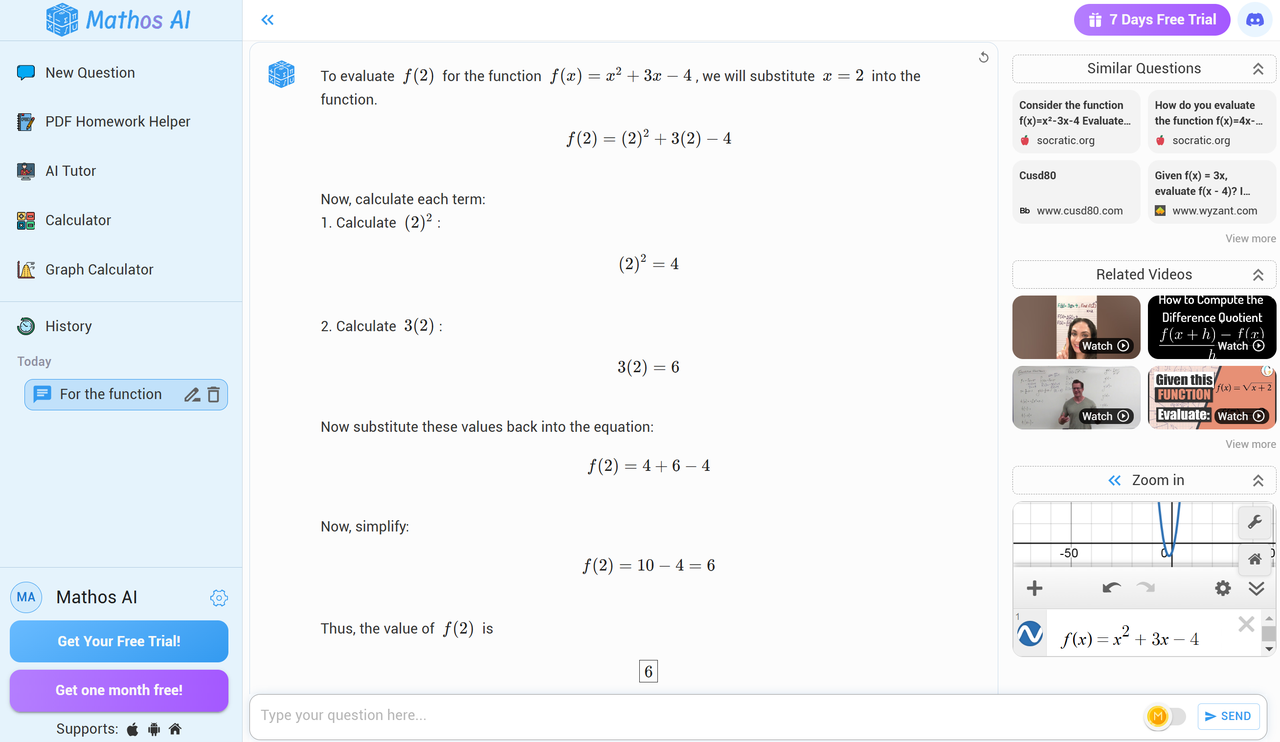
- Extra Resources for Learning: Mathos AI helps you think outside the box as it includes similar questions and links to videos from YouTube math channels, so you can find more resources for your math learning and get more practice if you need it.

- Stress-Free Learning with Your AI Tutor: Problem-solving is not the only thing Mathos AI can do for you. Mathos AI offers tailored explanations for each step, functioning as a personalized tutor. You can talk with the AI tutor, and it will provide guidance whenever you get stuck, just like having a math teacher by your side 24/7.
- You can Get Graphing for Free in the Tool: Graphing can be as easy as riding a bike with Mathos AI. When you are working on topics like systems of equations or inequalities, a graphing calculator from Mathos AI helps you graph and understand different types of equations.
- Various Calculators for Different Topics: No matter what type of math problem you need to solve, Mathos AI calculators are here to help. Mathos AI has plenty of specialized calculators, such as the double integral calculator, eigenvalues calculator, and linear equation calculator, providing versatile solutions for a wide range of mathematical topics.
Cons:
- Needs Internet: You’ll need Wi-Fi or cellular to use Mathos AI with a smooth experience.
- A Lot to Explore: Mathos AI has so many features that it might feel a bit much at first, but you’ll get the hang of it with practice!
Which is Better? Mathos AI or Desmos?
So, you’ve got Mathos AI on one side—a powerful AI-powered math solver and personalized tutor that’s practically a math teacher in your pocket. Then there's Desmos—celebrated for its intuitive graphing calculator, which has become a staple for students and math fans who rely on its graphing tool to make visualizing math concepts easy. But when it comes down to it, which one wins the title of the ultimate math solver?
Let's test these two math tools using the same college-level algebra function question!
Question: If , find .
Desmos's answer:
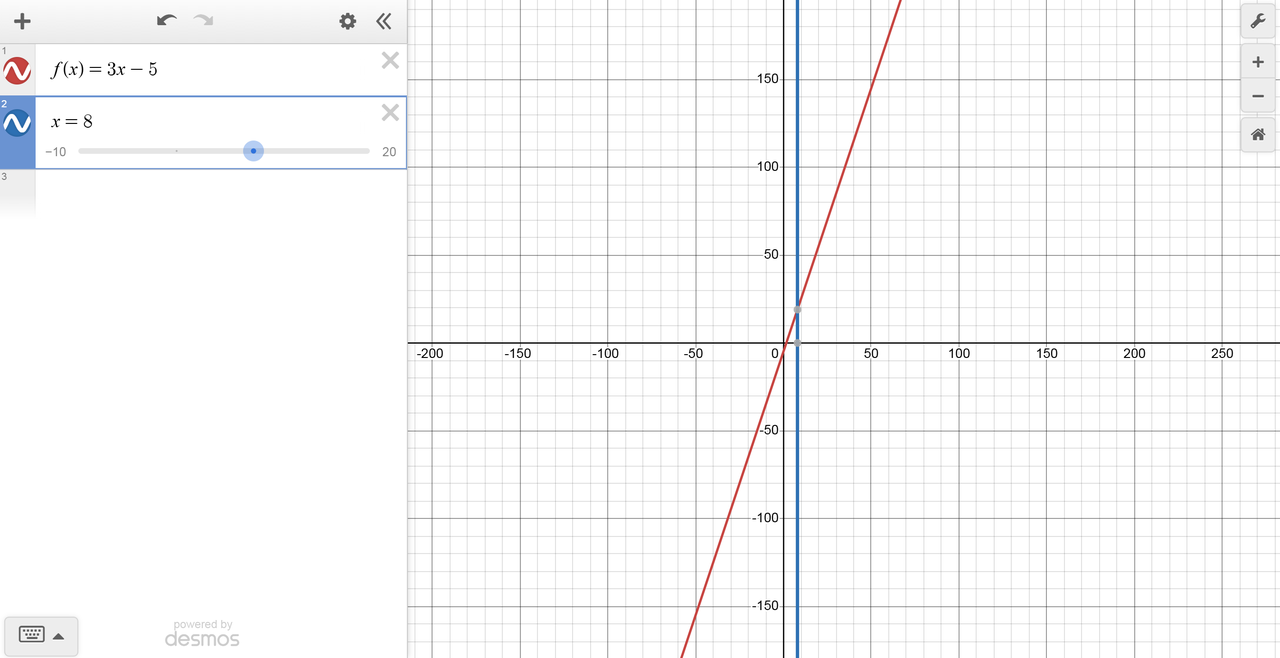
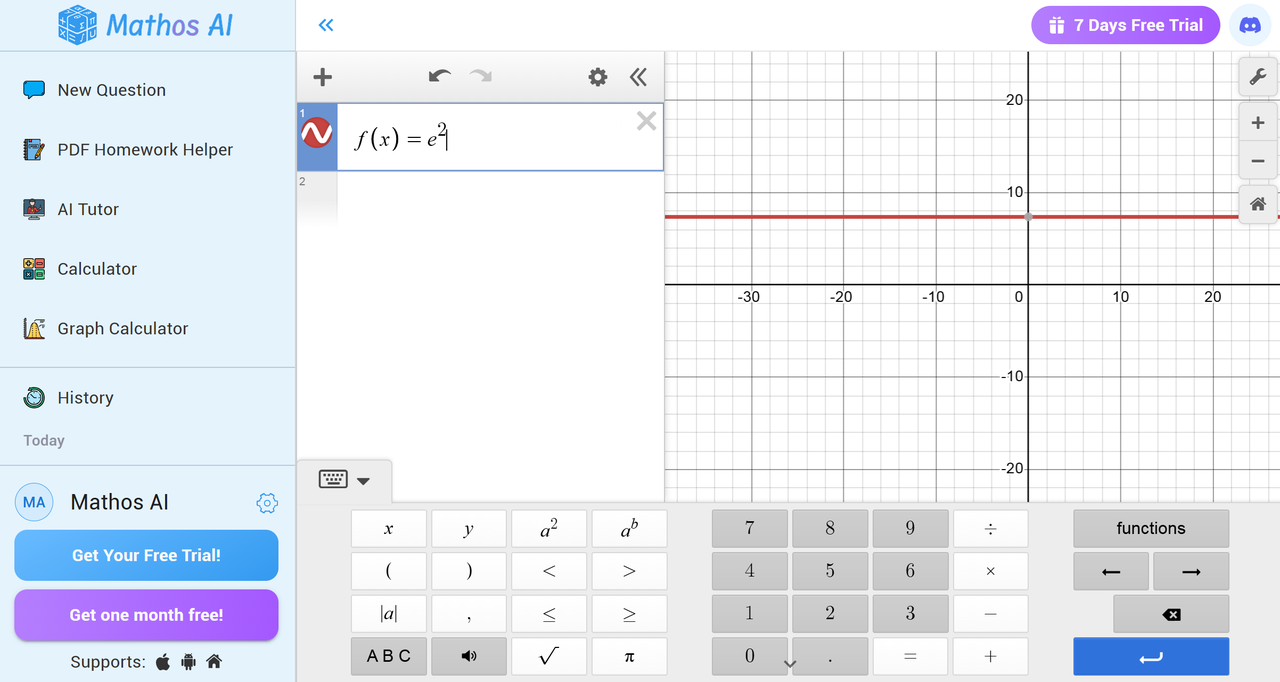
When it comes to graphing, Desmos is a quick and reliable option. This graphing calculator is a go-to for visual thinkers, students, and anyone needing support for graphing functions like slope-intercept form or visualizing inequalities. Its graphing tools make creating picture math illustrations for assignments and projects a breeze, from 3D graphing to polar graphs. For anyone looking for a clear and effective online calculator, Desmos covers everything from basic graphing to advanced tasks, like working with matrices, systems of equations, and even scientific notation. Desmos is great for anyone wanting a dedicated graphing calculator focused on visuals, but if you’re searching for a more versatile math problem solver, Mathos AI might be worth a look.
Mathos AI's answer:
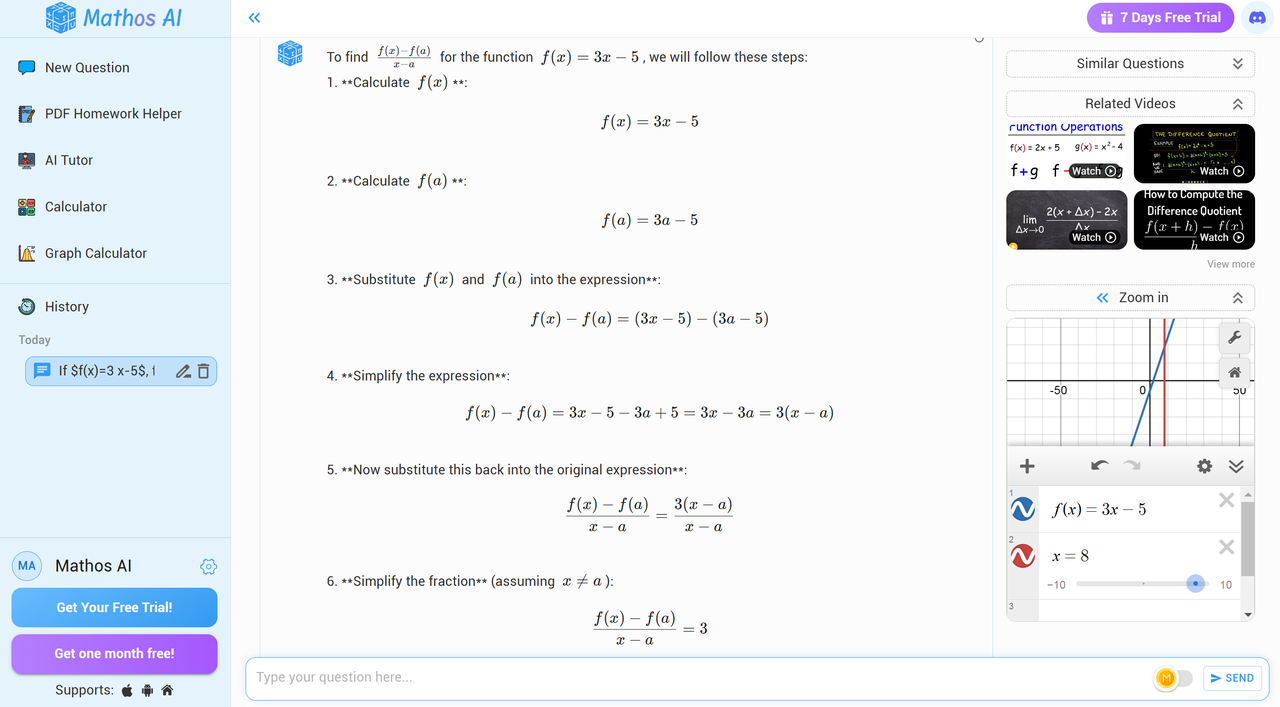
Mathos AI steps in as an all-in-one AI math solver. It goes beyond a simple math solver, acting as a comprehensive math tutor and PDF homework helper. From solving for X to handling functions with the quadratic formula, matrix multiplication, and Taylor Series expansions, Mathos AI has tools for every level of math—from a calculus calculator to advanced AI-powered features. It’s perfect for students needing a scientific calculator for derivative and integral calculations, a square root calculator, or even an algebra calculator for challenging math problems. Mathos AI tailors its approach to your learning style, providing step-by-step explanations and personalized feedback as a supportive AI tutor, and it syncs your progress across devices so that you’re always ready to continue learning. Plus, with a reliable Laplace calculator, inequality calculator, and more, it’s equipped for any math challenge you throw at it.
In short, if you’re after simplicity and love cool math visuals, Desmos is a fantastic choice. But if you’re looking for a powerhouse AI tutor who doubles as your go-to math assistant—handling everything from fractions to complex integral problems—Mathos AI is ready to help you boost your understanding across all devices.
Which one do you think is better—Mathos AI or Desmos? I'd love to hear your thoughts!
Finding the Best Math Solver for You
When it comes to picking the right math calculator, it all depends on your needs. Desmos and Mathos AI each offer unique strengths, from Desmos’s impressive graphing abilities to Mathos AI’s tailored tutoring experience. So, which will you choose? If you’re ready for a math journey that not only solves problems but teaches you, consider giving Mathos AI a try. That’s a calculator, but it’s more like your own virtual tutor. With multi-device access, interactive solutions and instant problem solving you’ll be oriented to overcome math from all angles. Ready to dive in? Start solving smarter with Mathos AI’s all-in-one math calculator today!