
The Best Productivity Apps for Students in 2025
Thursday, January 23, 2025
How can productivity tools help you as a student? If you feel like you sometimes get too swamped to keep up with all your assignments and tests and a giant list of things you need to work on, productivity tools give you a hand. When you’re a student, it often seems you’ll never have enough time to do it all. Suppose I told you that there’s a way to take back control of your homework and deadlines, at the same time as having time for yourself. That’s where some productivity apps come in.
I’m sure you’ve heard some of them, but you might wonder: Do productivity tools work for students? They absolutely can, yes — and have done so for hundreds of students, helping them to stay focused, become more organised, and better use their time. Whether it’s managing your to-do lists, solving questions on any subject, or collaborating on group projects, the right productivity tools can turn your chaotic workload into something manageable. In this article, we’ll dive into the best productivity apps of 2025, explore the four major types you should know about, and show you how to pick the right one for your needs.
Four Major Types of Productivity Tools for Students to Use
When it comes to managing the demands of school, finding the right productivity apps can be a game changer. Whether tackling homework, organizing study sessions, or collaborating on projects, productivity tools are designed to make life easier and more efficient. There are four key types of productivity tools that every student should consider, each catering to a specific aspect of academic life.
We've compiled a list of the best productivity apps across these four key categories — AI homework helpers, task management tools, time management tools, and collaboration platforms — designed to streamline studying, enhance organization, and boost focus.
| Category | Tools Included |
|---|---|
| AI Homework Helper | Mathos AI, Study Potion |
| Task Management Tool | ClickUp, Traverse |
| Time Management Tool | Mapify, Revisely |
| Collaboration and Communication Tool | Lark, Skillshare |
AI Homework Helpers: Solve Your Homework Instantly
Now, let’s talk about AI homework helpers, a growing category of productivity apps that every student should check out. Mathos AI or Wolfram Alpha is an app that helps you get instant solutions to complex problems related to subjects like math, science, physics, etc.
These AI-powered math solvers have so few taps, to walk you through the problems in steps, explain the difficult concepts, and even generate practice questions for extra study. These tools can liberate you from the stuck mess of a classic equation or help you make sense of a complicated science problem in seconds. Productivity tools like these allow you to focus more on understanding the material and less on getting bogged down by confusing tasks.
Task Management Tools: Stay on Top of Deadlines
The first type of productivity tool for students you’ll want to explore is task management apps. The most amazing thing about these tools is that they can help you organize assignments, set reminders, and track progress. They are to-do lists with deadline trackers, to recall time estimations for tasks, and more, they are your assistants. Some agenda best productivity apps, such as Todoist or Microsoft To Do, let you break down larger assignments into smaller, more manageable tasks. Satisfyingly, you can also mark off completed tasks by the due date and reorder work. Not only will these tools help keep you organized, but they’ll also prevent the awful panic of realizing you completely forgot about a test or essay.
Time Management Tools: Master Your Schedule
Time management tools are next up for students who want to squeeze the most out of their study time. They are simple calendar apps like Google Calendar, and more complex tools like Trello or Google Calendar are there to help plan out your day, week, and month. It includes time blocking (cutting through your days into unfocused chunks of work), and reminders so you don’t miss a beat. But sometimes when you’re managing multiple assignments or studying for exams, having a visual representation of your time can be a game changer. Time management apps may also serve well to allocate time for each subject or task, to keep nothing falling through the cracks.
Whether you’re trying to fit a full date into your day or planning for ahead full semesters, these apps ensure you get the most out of your time.
Collaboration and Communication Tools: Work Smarter with Others
Finally, any team project, research, or class discussions require indispensable collaboration tools. Lark and Microsoft Team are apps that allow students to share documents in real-time as they communicate. These tools are not only easy to use, but useful as you work on a presentation or just want to share class notes with classmates. Real-time editing and instant messaging mean you won’t have to keep sending endless emails and emails back and forth.
How Do We Evaluate and Select Productivity Apps for Students?
When choosing the best productivity apps for students, several key factors should be considered to ensure that you pick the right tool for your needs.
First, we test the app's user-friendliness. Apps should help students stay organized, when an app is complicated to navigate, it defeats its purpose. We also emphasize key features: task management, time tracking, and collaboration. A big plus is AI tools that help with homework and learning, which save time and make studying more efficient.
We then think about how the app will work on many different devices, like phones and laptops. A huge advantage is apps that work across devices that sync and that are flexible. We also search for applications that offer customization like setting parameters to your studies’ preferences or selecting different themes.
Last, but not least, we include the cost of the app itself because students often have to learn within a strict budget.
In short, when selecting productivity tools for students, we prioritize ease of use, useful features, and flexibility so that students can stay organized and focused wherever they are.
The Best Productivity Apps for Students of 2025
AI Homework Helper
Mathos AI
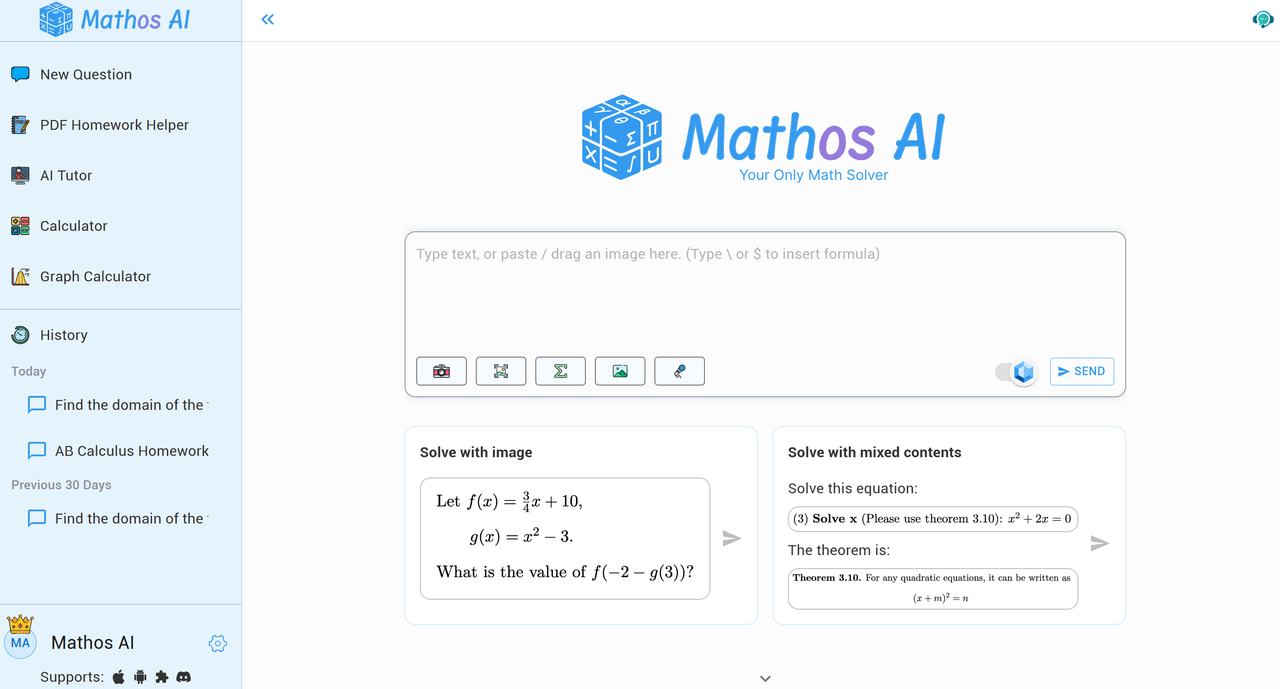
Mathos AI is a state-of-the-art AI-powered math solver and personalized tutor designed to help students tackle complex math problems at all academic levels. Whether you're in middle school working on basic algebra, in high school tackling geometry, or at university studying advanced calculus, Mathos AI offers instant, accurate solutions. With its ability to provide step-by-step explanations, Mathos AI is more than just a calculator — it's a complete learning experience. Trusted by over 3 million students across 200+ countries, it delivers precision and reliability, making it a top choice for math learners worldwide.
Key Features of Mathos AI:
- Dedicated Math Calculators: Trusted by 3+ million students, Mathos calculators provide instant, accurate solutions with step-by-step explanations for over 10 million math problems, ranging from basic algebraic expressions to advanced Laplace transform.
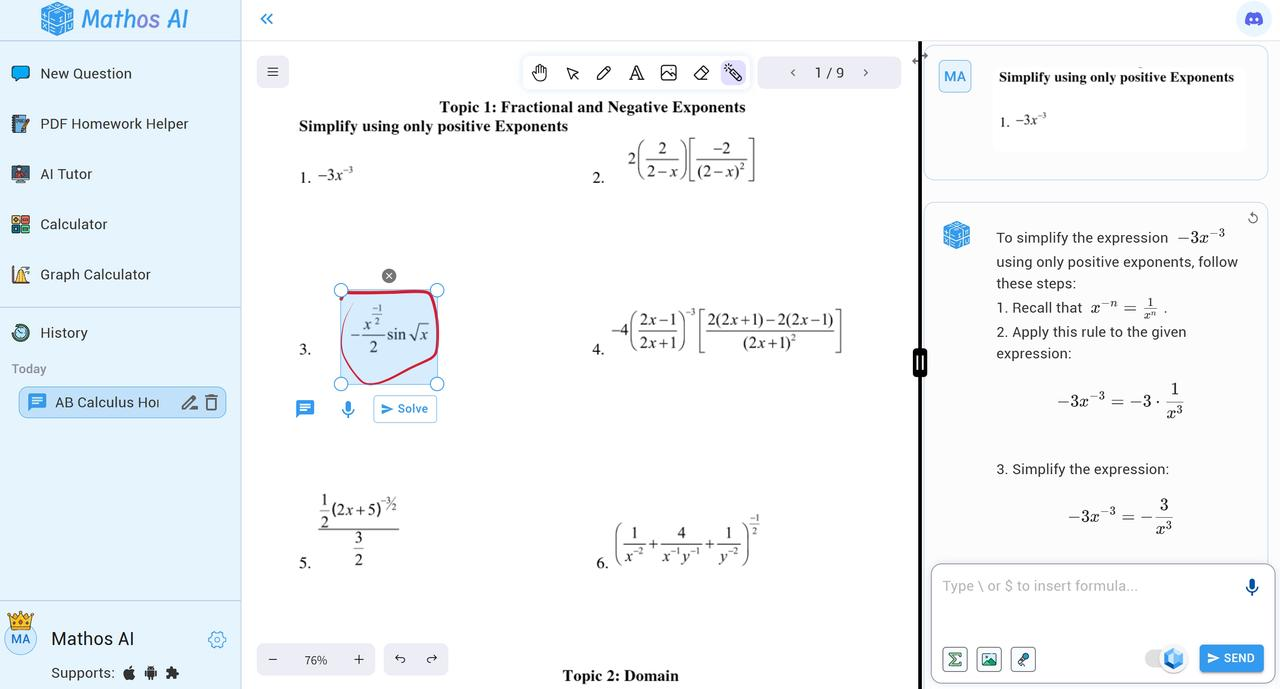
- PDF Homework Helper: Upload a PDF of math problems, circle questions directly on the document, and get instant step-by-step solutions. Annotate and take notes on the PDF for streamlined study sessions.
- AI Tutor By Your Side: Mathos AI adapts its guidance to suit your learning style, identifying where you’re stuck and offering real-time, tailored explanations to help you overcome challenges.
- Resourceful Aids: Beyond solutions, Mathos AI links you to valuable online resources and tutorial videos, offering deeper insights into your math topics.
- Advanced Graphing Calculator: Powered by Desmos technology, Mathos Graph Calculator allows users to visualize prime numbers, scientific notation, and fractions concepts with ease.
When to Use Mathos AI:
Imagine it’s the night before your big math exam, and you’re feeling the pressure. You’ve got a pile of homework, practice problems, and a textbook filled with formulas that you just can’t seem to remember.
You start by opening Mathos AI: Snapping a photo of a tricky quadratic equation with Mathos AI’s camera feature at first. Instantly, it provides a solution, breaks down each step, and explains everything clearly. Next, you move on to more advanced topics like calculus. Mathos AI Tutor adapts its explanations to your learning style, helping you master concepts at your own pace. Need to review older material? Use Mathos PDF Homework Helper to upload your notes or textbooks, circle and solve math problems, and get step-by-step solutions directly from the document.
As you continue studying, you can switch to your tablet to review advanced topics, like the unit circle. Mathos AI Graphing Calculator helps you visualize the complex concepts you’re learning. Beyond typing math letters or formulas in Mathos AI, you can click YouTube links of related math topics chosen by Mathos to deepen your understanding.
Study Potion
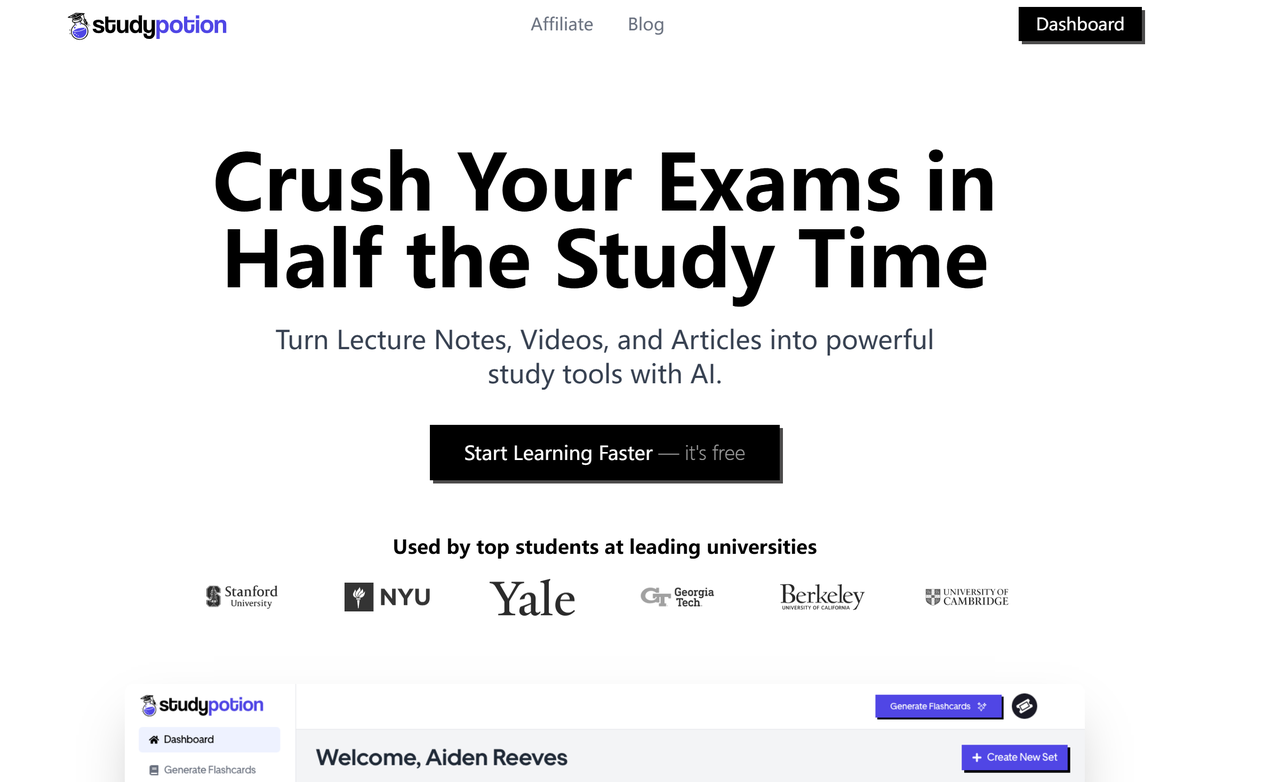
Study Potion is an AI-powered learning tool designed to supercharge your study routine. Whether you’re preparing for an exam or just trying to stay on top of your coursework, Study Potion simplifies the process of turning your notes, articles, or even videos into efficient, personalized study materials. Using cutting-edge AI technology, Study Potion analyzes the content you upload and generates a range of study tools, including flashcards, summaries, quizzes, and practice exams, all tailored to the specific content you're learning. Study Potion allows you to actively engage with the material, clarifying doubts and reinforcing concepts through conversational interaction.
Key features of Study Potion:
- Personalized Study Material Creation: Simply upload your content, and Study Potion’s AI will analyze it and generate custom flashcards, quizzes, summaries, and practice exams.
- Conversational Learning: If you don’t understand a concept or need clarification, you can ask Study Potion questions directly, and it will respond with explanations. Study Potion allows you to engage with the material actively through conversational interaction.
- Exam Preparation: Study Potion generates tailored flashcards, quizzes, and practice tests from your study materials to help you test your knowledge and reinforce key concepts.
When to Use Study Potion:
If you’re deep into your study routine, feeling a bit overwhelmed with all the material to cover. You open Study Potion to engage with your learning material:
If you are preparing for exams like the SAT or ACT, Study Potion lets you upload your notes or textbooks, instantly generating custom flashcards and quizzes to help you test your knowledge. Need more practice? The app can even create a practice test, so you’re fully prepared when the real exam comes around.
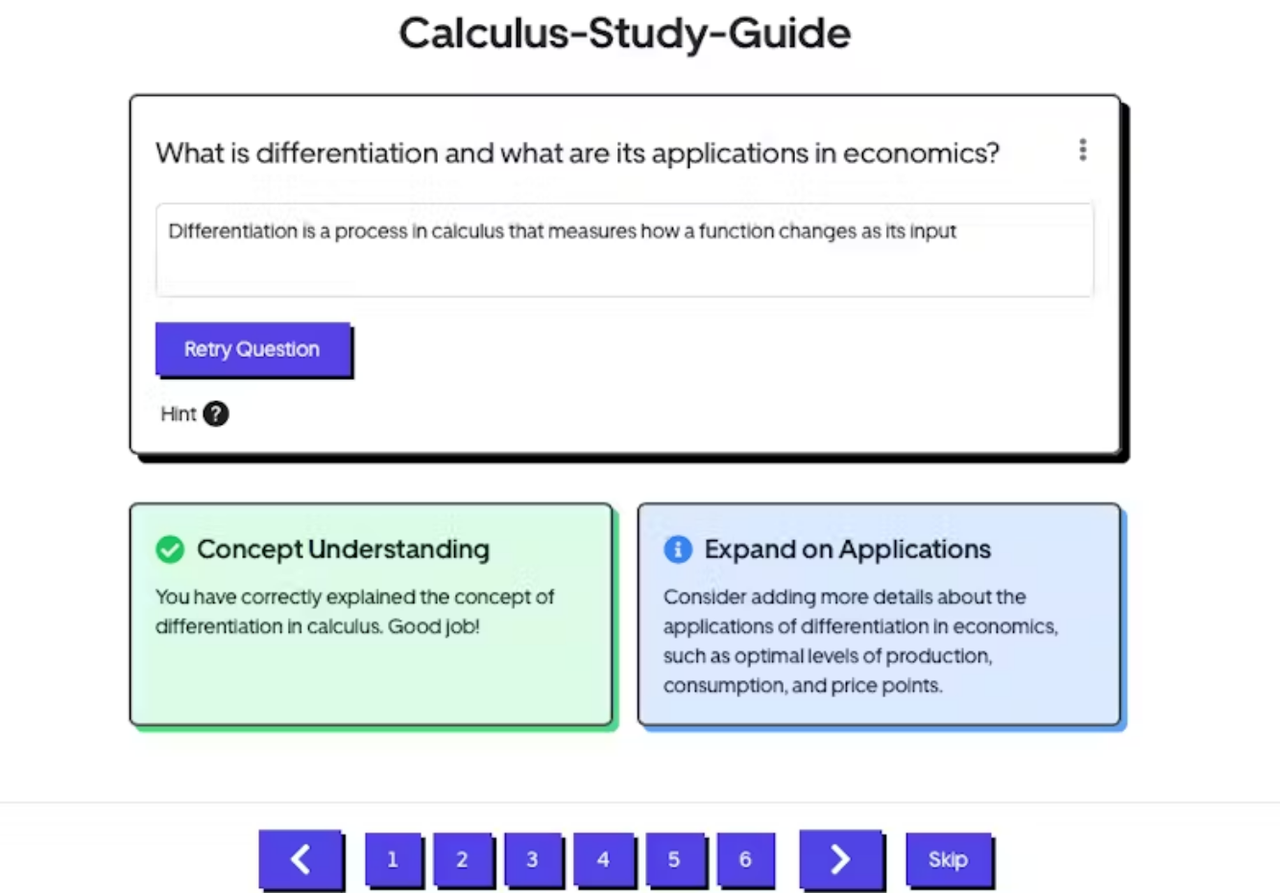
After class, you’re staring at pages of notes, wondering how to organize them efficiently. Upload those notes to Study Potion, and it’ll summarize the key concepts and generate flashcards to help you retain the information.
Task Management Tool
ClickUp
ClickUp is an agile task and project management platform designed to help students, teams, and businesses stay organized and productive. It is highly customizable and easy to use, with a wide array of features that make it powerful. It is especially useful for people who have many assignments to stay organized, manage different ones with deadlines, and manage study tasks.
Key Features of ClickUp:
- Automated Task Creation: Students can set up automation rules to automatically create tasks when a project milestone is reached or when a professor posts a new assignment. For instance, if you mark a sub-task as 'complete,' ClickUp can automatically mark the parent task as 'In Progress' or 'Completed.'
- Integration and Customization: Personalized dashboards help students give them a snapshot of what they need to do – their tasks, deadlines, and projects in a single view. It facilitates speedy checking by students of what needs to be done, and what needs to be attended to. Many tools work with ClickUp, including Google Drive, Slack, Zoom, and more, so students can collaborate with others and resources across platforms.
- Project Views and Folders: ClickUp allows students to break the tasks into different project folders by subject or class. This feature will enable students to group with assignments, their notes, and resources that make them easy to find and easily accessible. Customization allows students to create fields based on subject implementation, due date, and assignment type (essay presentation or exam). It makes the task organization more personal. With ClickUp, you can organize your tasks and assignments into phases (To Do, In progress, Done), using a visual board that looks just like a Kanban board.
When to Use ClickUp:
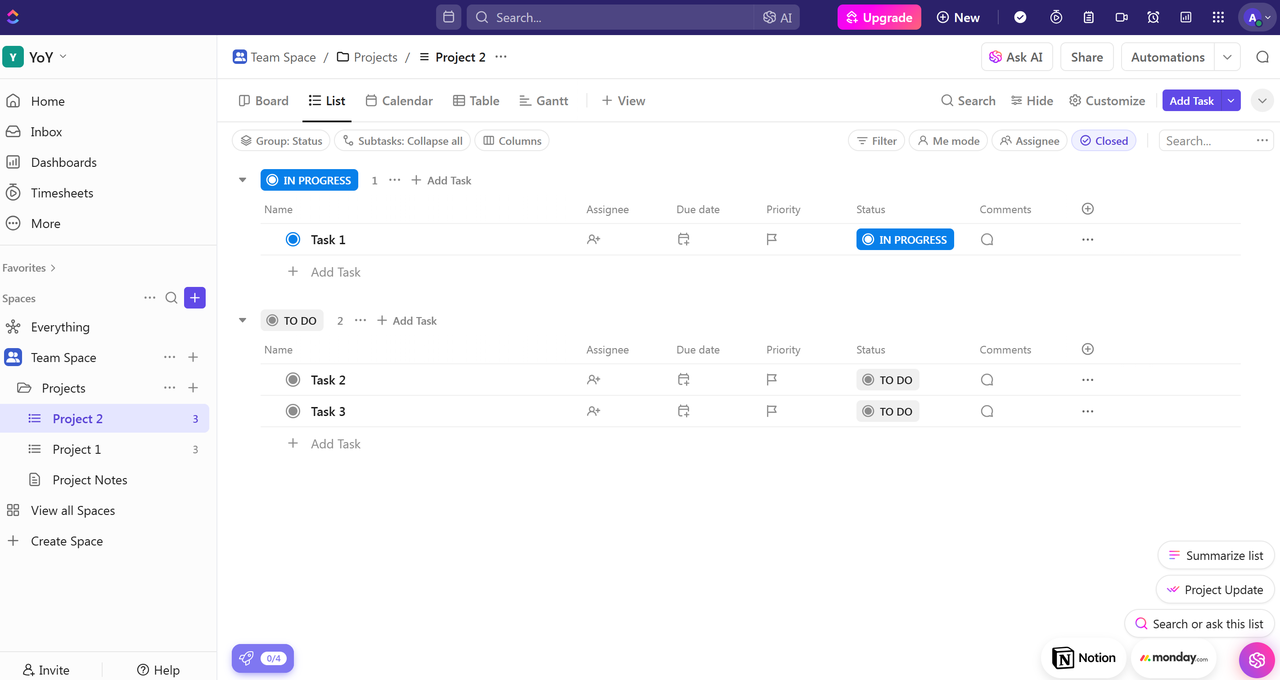
If a professor posts a new assignment, You can use Kanban boards to visualize your work and move tasks between phases, such as “To Do,” “In Progress,” and “Done.” ClickUp helps you prioritize effectively, track your progress, and manage your workload. ClickUp can automatically create a task for it in your dashboard. You can set up automation rules, such as marking tasks as “In Progress” once certain milestones are reached, or moving completed sub-tasks to the “Done” column on your Kanban board. ClickUp's Customizable fields let you assign due dates, categorize tasks by assignment type (such as essays, presentations, or exams), and tailor your dashboard to reflect what matters most.
Traverse
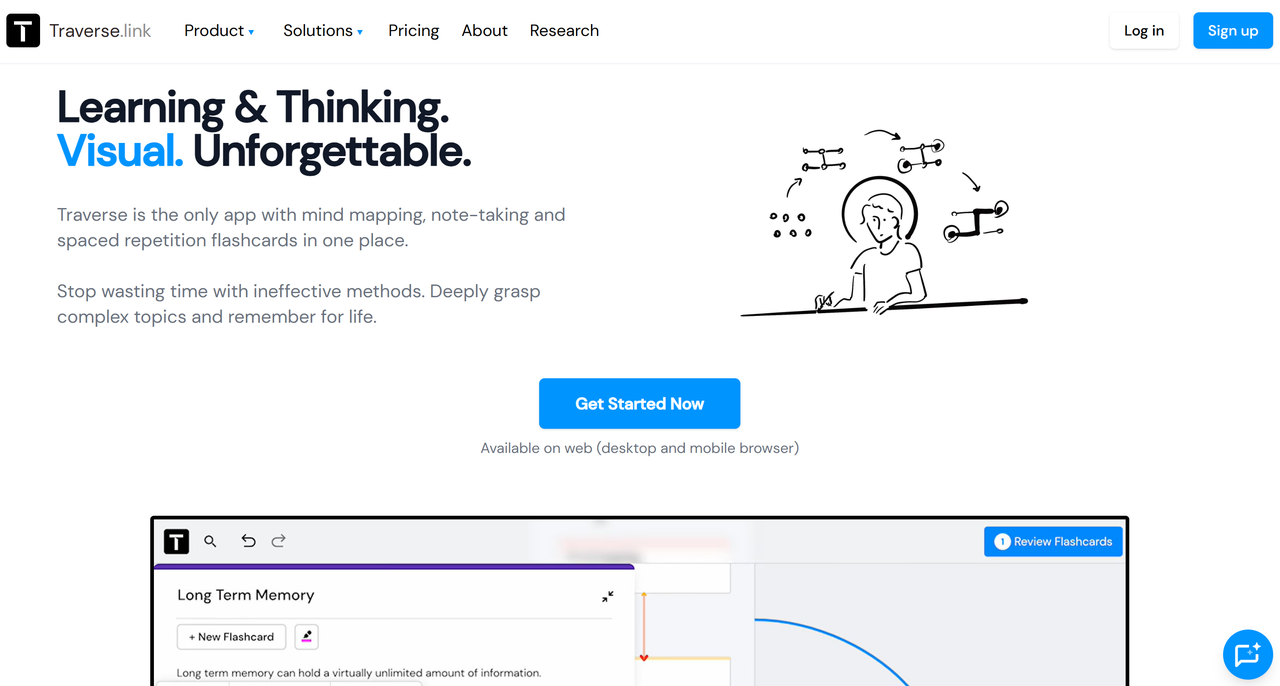
Traverse is an innovative task management and productivity tool designed specifically for students to organize, manage, and track their assignments, projects, and deadlines. With its unique visual note-taking system, Traverse allows students to create “traverses” (virtual whiteboards) where they can map out different topics, projects, or entire courses. This combines the functionality of mind mapping and flashcards, helping students stay on top of their workload while enhancing their ability to process and retain information. Traverse is more than just a to-do list—it's a comprehensive study assistant that prioritizes tasks, sets reminders, and ensures deadlines are met with ease.
Key features of Traverse:
- Task Prioritization: By organizing assignments, projects, and exams into different categories, students can ensure they focus on what matters most and avoid getting overwhelmed by looming deadlines. This feature helps students structure their to-do lists effectively, tackling high-priority tasks first.
- Deadline Management: Students can input important due dates for assignments, exams, and projects, with the option to receive reminders leading up to the deadline. This helps ensure that nothing slips through the cracks, allowing students to stay on top of their academic commitments and avoid last-minute panic.
- Reminders and Notifications: Traverse sends timely reminders and notifications to keep students on track with their tasks. Whether it’s a reminder for an upcoming deadline, a follow-up on an incomplete task, or a notification about a new assignment, these reminders help students stay organized and proactive throughout their academic journey.
When to Use Traverse:
If you’re swamped with assignments, each with its due date. Traverse helps you create a centralized hub for all your deadlines. You can view everything in one place, set visual reminders, and receive notifications so that nothing slips through the cracks.
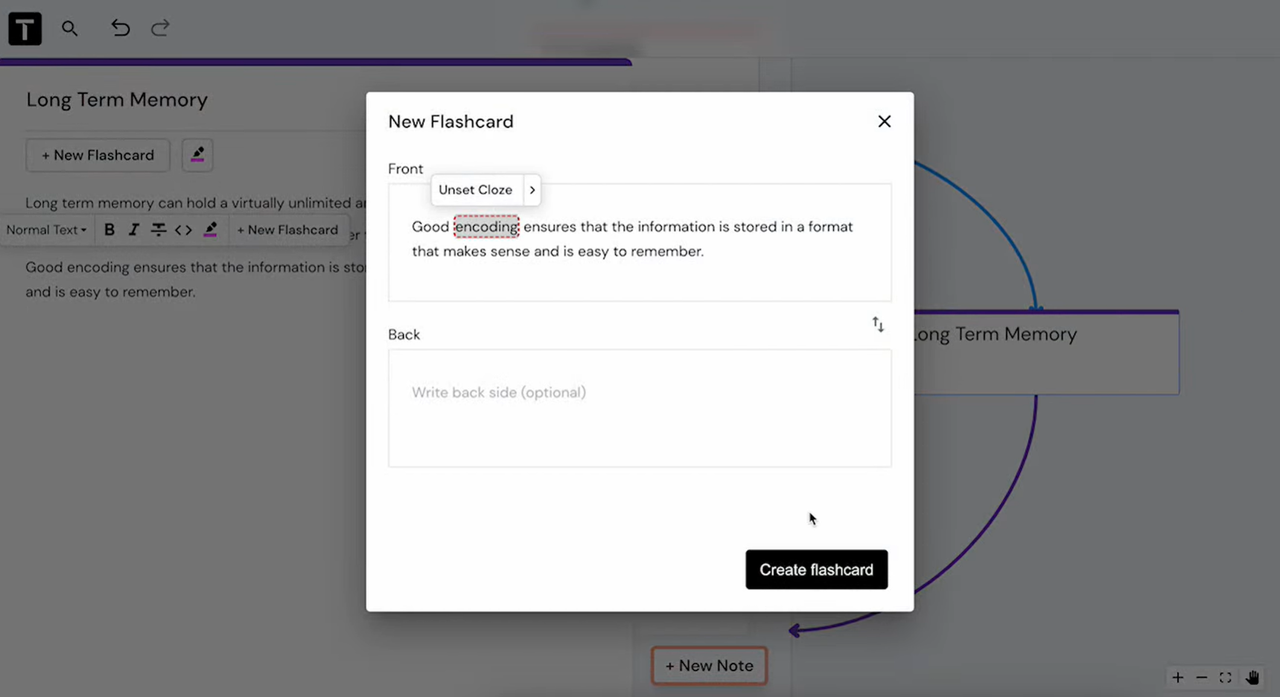
Deadlines are looming, and it’s hard to figure out which task to tackle first. With Traverse’s prioritization features, you can categorize tasks based on urgency and importance.
Traverse also allows you to input all your assignments, deadlines, and grades into one place, giving you a clear view of your progress throughout the semester.
Time Management Tool
Mapify
Mapify is an AI-powered mind-mapping tool designed to help students visualize, organize, and break down complex tasks, goals, and content. Unlike traditional to-do lists, Mapify uses mind maps—visual diagrams that represent ideas, tasks, and projects in a way that connects them and shows how they relate to each other. This visual approach helps students see the bigger picture, making it easier to prioritize tasks and stay organized. Mapify is particularly valuable for managing long-form content like research papers, essays, and exam preparations.
Key features of Mapify:
- Task Visualization with Interactive Mind Maps: Mapify helps students visualize their tasks and assignments using interactive mind maps. Students can quickly identify high-priority tasks, plan their time efficiently, and track their progress in real time, making it a powerful tool for managing workloads.
- Time Blocking & Schedule Optimization: Mapify incorporates time blocking to help students allocate specific time slots for studying, completing assignments, and taking breaks. Time blocking encourages focused work sessions, minimizes distractions, and allows students to manage their energy levels by scheduling breaks.
- Task Reminders & Deadline Tracking: Mapify keeps students on track by providing reminders and deadline tracking for all their tasks. Whether it's a project due in a week or an exam coming up in a few days, students can set up notifications to ensure they never miss an important deadline. The system sends timely alerts for upcoming tasks, keeping students proactive and on top of their responsibilities.
When to Use Mapify:
When you're working on a big research paper, an important presentation, or any other large-scale project, you can use Mapify to create mind maps that summarize key concepts and topics for each subject, prioritize tasks, set realistic deadlines, and track progress.
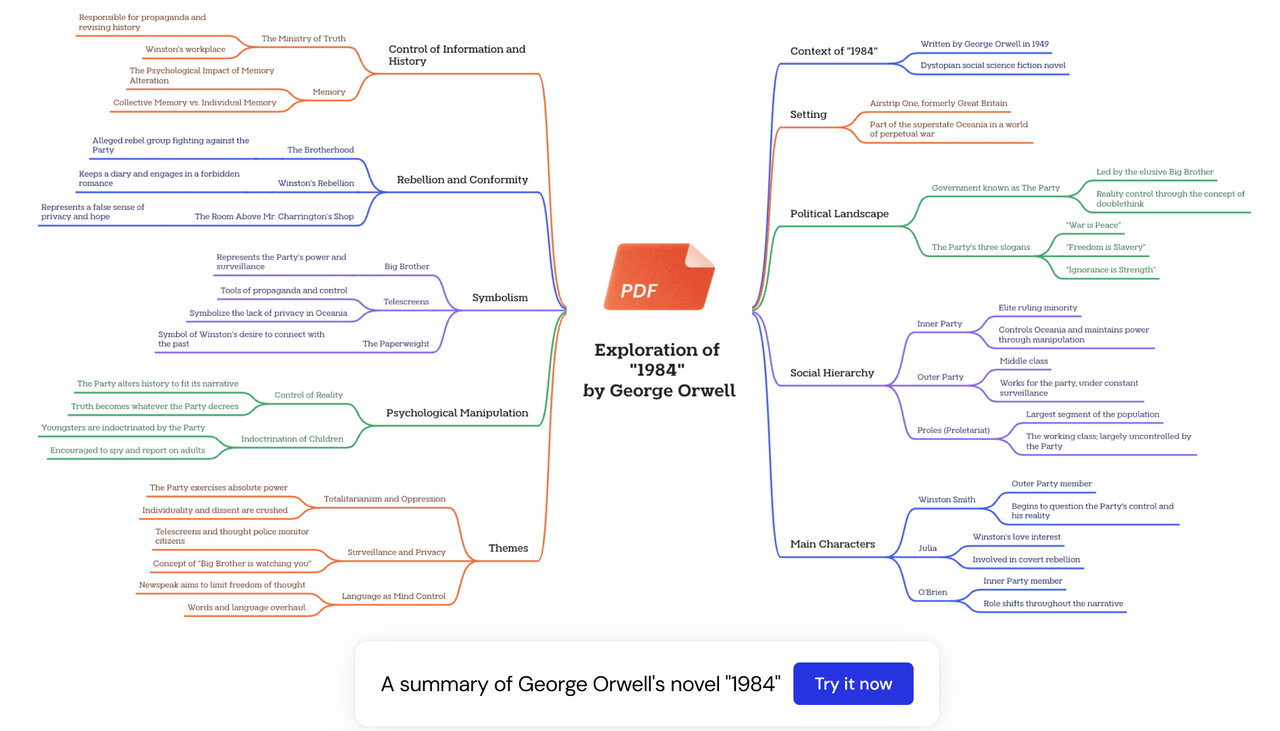
When exams are approaching, use Mapify to review and summarize your lecture notes. Using Mapify to break down large goals into smaller, actionable steps, by mapping out how much time to allocate to each subject.
Revisely
Revisely is an AI-powered learning platform designed to optimize the study and revision process for students, making exam preparation more efficient and effective. While it is not a traditional time management tool, it indirectly enhances student productivity by helping them focus on the areas that need improvement, streamlining the revision process, and reducing time spent on unproductive study methods. Additionally, Revisely automates key study tasks, like note-taking and summarizing, freeing up more time for active learning and review.
Key features of Revisely:
- Smart Study Schedules: Revisely allows students to create personalized study schedules tailored to their course load and deadlines. Using smart scheduling, students can input their assignments, exams, and extracurricular activities, and the tool automatically generates study sessions based on urgency and available time.
- Collaboration & Group Study: Revisely supports collaboration through shared study schedules and task lists. This function is particularly useful for group projects or study sessions, as students can synchronize their schedules, assign tasks, and track collective progress.
- Progress Tracking: Revisely offers a built-in progress tracker that allows students to monitor their academic performance and study habits over time. With this feature, students can see which tasks they've completed, identify areas where they may be falling behind, and gain insights into how well they're managing their time.
When to Use Revisely:
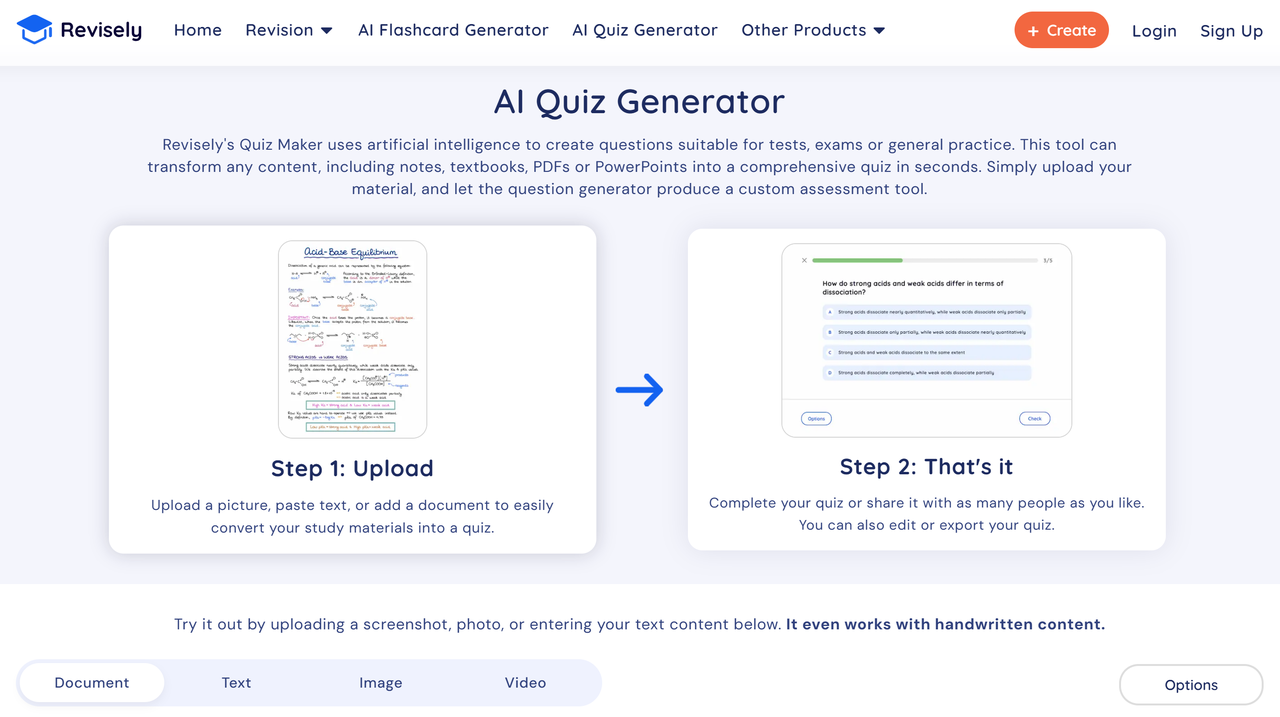
When you’re gearing up for a big exam, yet there is too much material to cover, you can use Revisely to create your flashcards and quizzes automatically. With Revisely’s time-saving features, such as automated note-taking and summarizing, you can focus more on learning, revising, and applying the material, leaving you with more free time for other activities.
Collaboration and Communication Tool
Lark
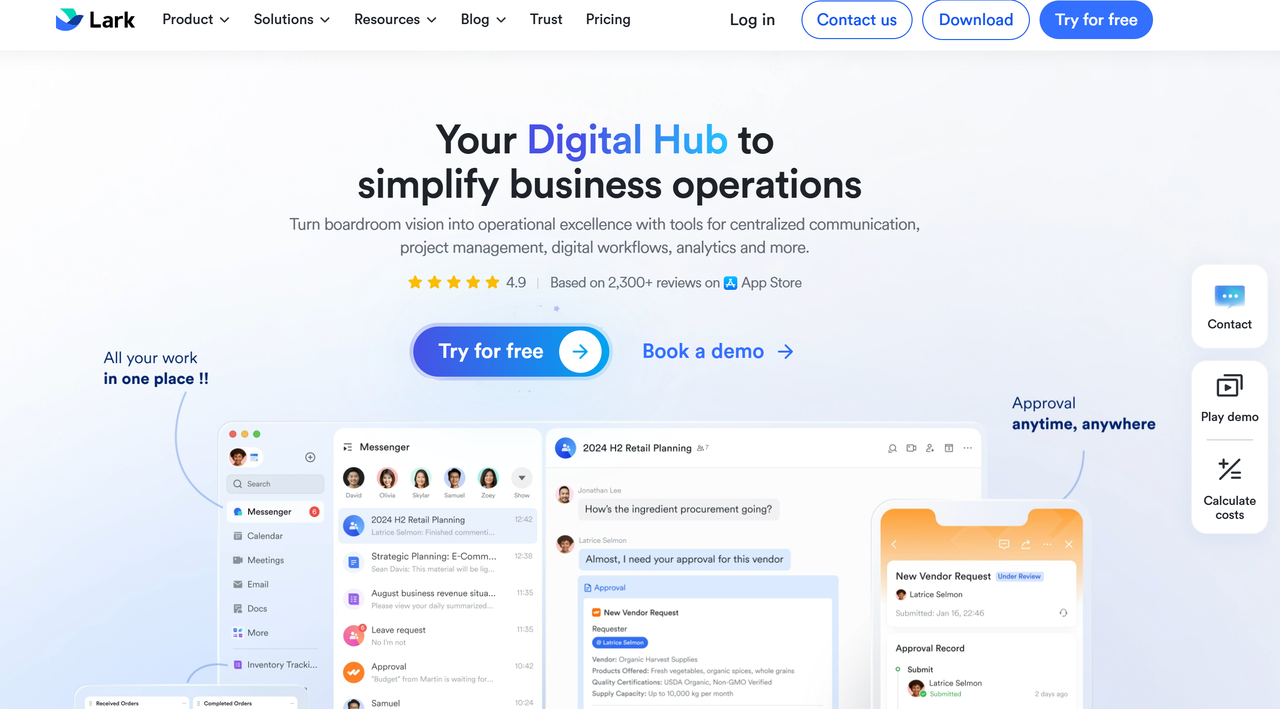
Lark is an all-in-one productivity and team communication software designed primarily for team-based environments, integrating messaging, video conferencing, calendar management, and cloud storage into one unified workspace. While it is typically used in business settings, Lark can also be a valuable tool for students, especially when working on group projects or collaborating remotely.
Key Features of Lark:
- Messaging & Real-Time Chat: Lark's chat feature allows students to stay connected with classmates, study groups, and tutors. It offers seamless communication with the ability to share updates, exchange ideas, and keep the group on track. Group and 1:1 chats, along with project notifications, keep everyone informed in real-time, making collaboration effortless.
- Video Conferencing: With built-in video conferencing, Lark makes it easy for students to conduct study sessions or virtual meetings. Students can collaborate in real-time, regardless of location, while features like Picture-in-Picture mode allow them to multitask, attend meetings, and work on documents simultaneously.
- Document Collaboration: Lark’s document editor allows students to co-edit research papers, assignments, or presentations in real time. This feature is ideal for group projects, as it allows multiple people to work on the same document, add comments, and track changes.
- Cloud Storage & File Sharing: Lark supports file sharing, allowing students to easily distribute study materials, research papers, or lecture recordings. Files can be organized in folders, accessed across devices, and shared with team members seamlessly.
- Cross-Device Synchronization: Lark ensures that all of your work, from chats to documents, is synced across devices. This means you can switch between your phone, tablet, and laptop without losing any progress.
When to Use Lark:
If you're working on a group project with classmates around the world, juggling multiple assignments, and trying to stay organized.
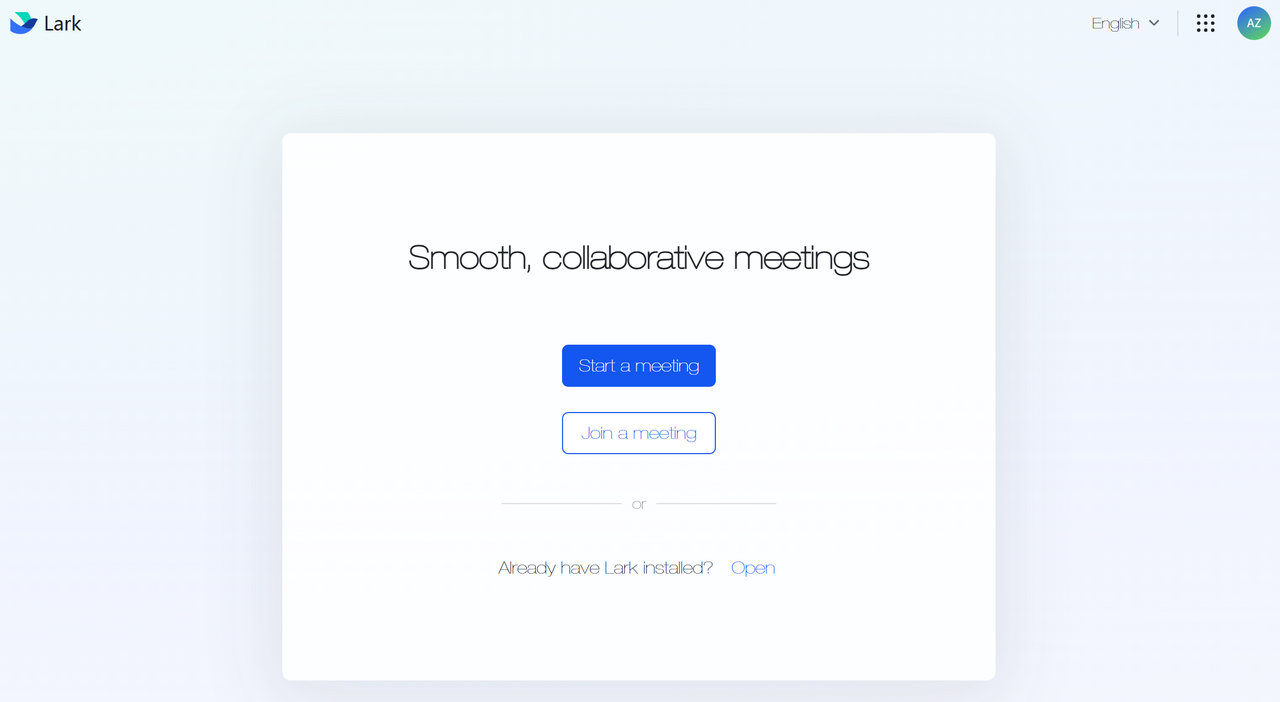
You start by using Lark’s messaging to reach out to your group members and discuss the scope of the project. Real-time chat keeps everyone in the loop, with updates and reminders delivered straight to your chat feed. Then, you need to schedule a meeting with your classmates across different time zones. Thanks to Lark’s automatic time zone alignment, you simply select a time, and Lark shows you the best available slots for everyone.
During the meeting, Lark’s video conferencing allows you to collaborate in real time with up to 100 participants. You use the Picture-in-Picture mode to attend the meeting while editing a shared document in the background. Lark’s live document editing feature lets you and your teammates co-create content seamlessly, making suggestions and changes as you discuss ideas. You can even annotate images and use the shared whiteboard to sketch out concepts.
When you need to work offline, Lark’s cloud storage lets you save and share documents, research materials, or even lecture recordings. Whether it’s a PDF or a presentation, Lark’s file-sharing feature ensures that all your documents are accessible and editable from any device. Plus, Lark’s document translation feature makes it easy to collaborate with students who speak different languages.
For added convenience, you can make voice-to-text transcriptions of meetings and notes, ensuring that no important detail is missed. If you prefer email, Lark’s email service will allow you to communicate with professors or external collaborators easily.
Skillshare

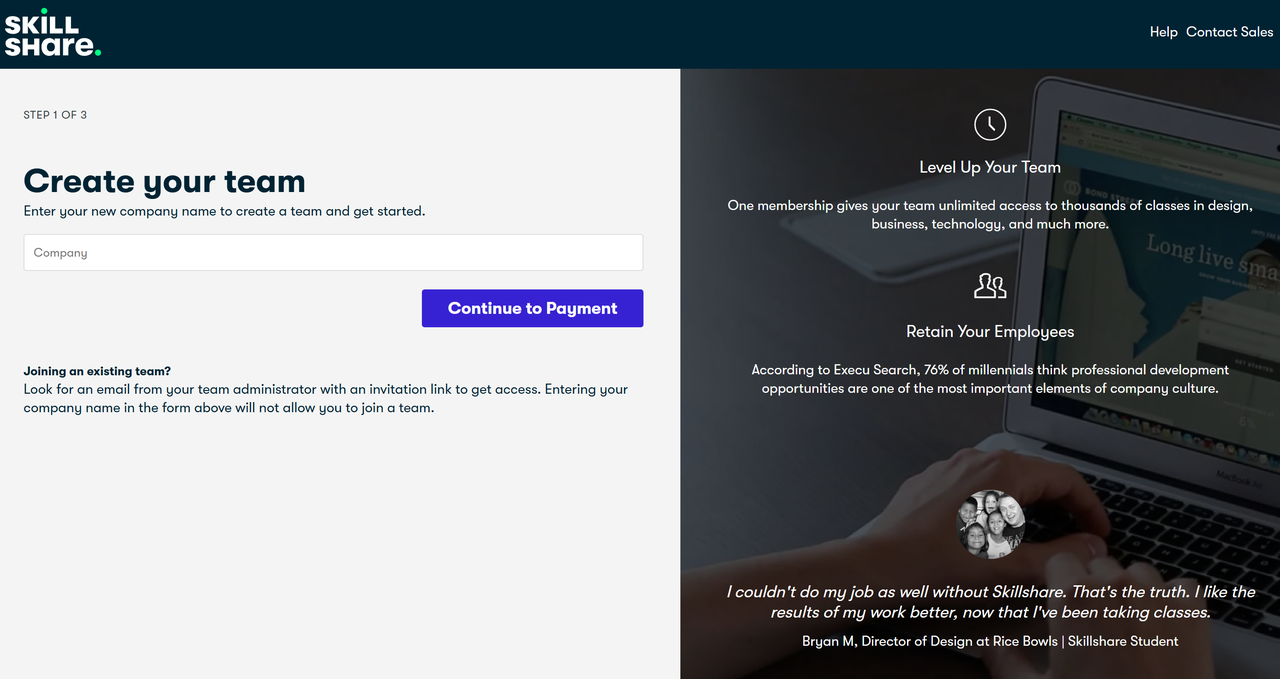
Skillshare is an online learning platform that offers a vast library of courses across creative fields like design, photography, writing, and marketing. The platform's community-driven approach creates an environment where students can engage with each other, share resources, and provide feedback on each other's work. Through project-based learning, Skillshare encourages students to collaborate, receive constructive feedback, and build networks with like-minded individuals.
Key Features of Skillshare:
- Project-Based Learning: Many Skillshare courses are centered around hands-on projects, encouraging students to apply what they learn immediately. This format promotes teamwork and collaboration, as students can share their projects with peers for feedback and improvement.
- Community Forums: Skillshare features active discussion forums where learners can interact with one another. Students can ask questions, share insights, and discuss course content, creating a collaborative space for knowledge exchange.
- Peer Feedback: Skillshare courses often involve peer reviews, where students provide constructive feedback on each other's work. This feedback loop helps students improve their projects, refine their skills, and gain new perspectives.
When to Use Skillshare:
If you're working on a project in a creative field like design, photography, or writing, Skillshare is perfect for collaboration. Many courses encourage students to share their work and provide feedback to one another. Moreover, Skillshare’s peer review system allows you to get constructive feedback on your creative projects. You can share your progress, receive feedback, and work alongside peers with complementary skills.
If you want to learn a new skill, but you’re worried about going it alone, Skillshare offers a built-in support system through its community.
Master Your Schedule and Math with Ease
Now that you're ready to conquer your day with productivity apps, it's time to give your math struggles the same treatment. If you think time and project management are the only thing that can be automated, think again! Mathos AI is here to turn your math headaches into a thing of the past. Whether you're stuck on trigonometry or just need a hand with algebraic expression, Mathos AI is your trusty sidekick in the world of equations. Forget about getting lost in confusing square roots — let Mathos AI guide you with detailed, step-by-step explanations. With 3 million students already on board, it's not just a tool — it's your personalized AI math tutor. Ready to ask math problems? Mathos AI’s got your back!